


StarGuard
Wireless weather sensor for your rig. Temperature, humidity, dew point and GPS in one box.
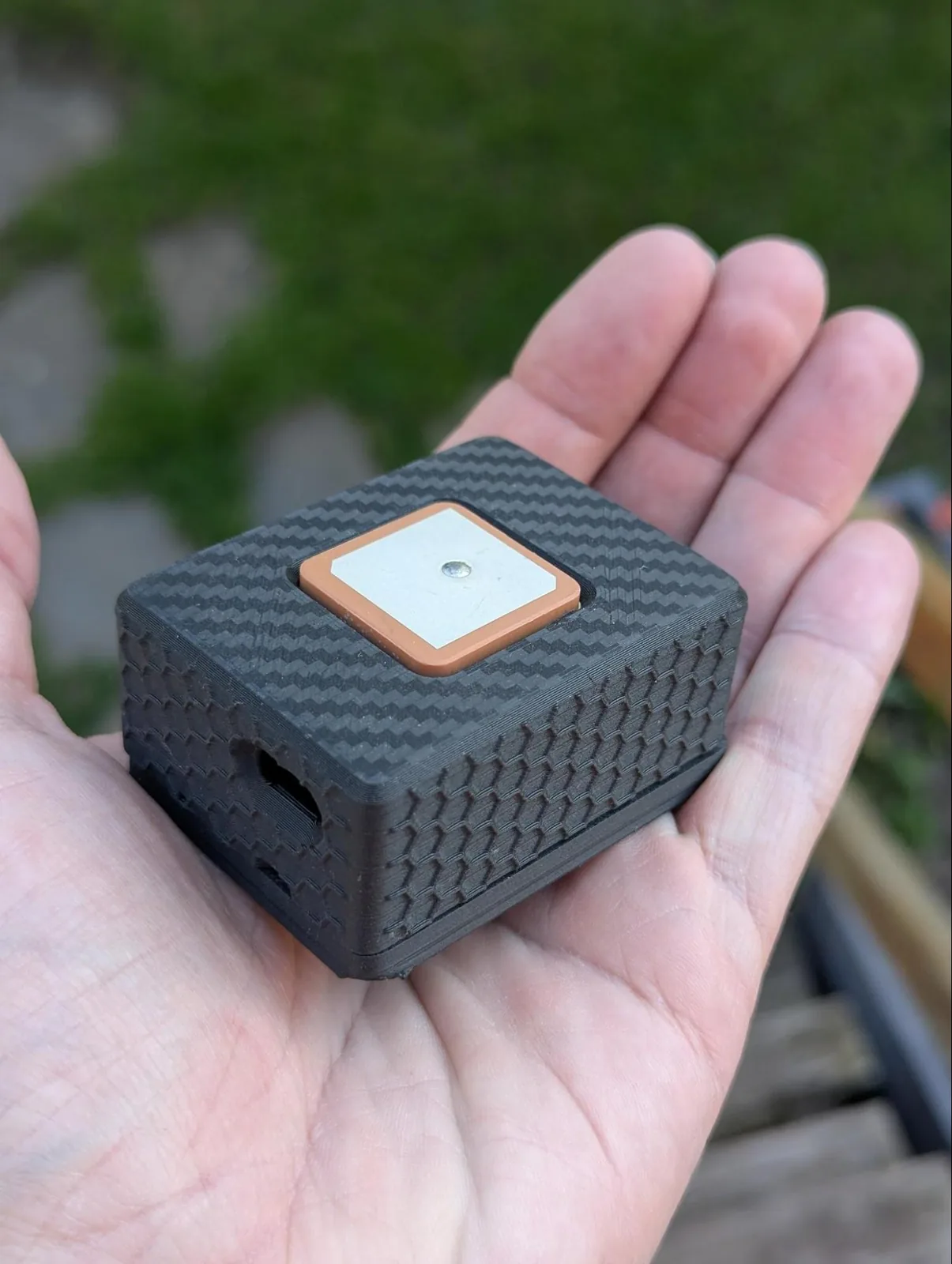
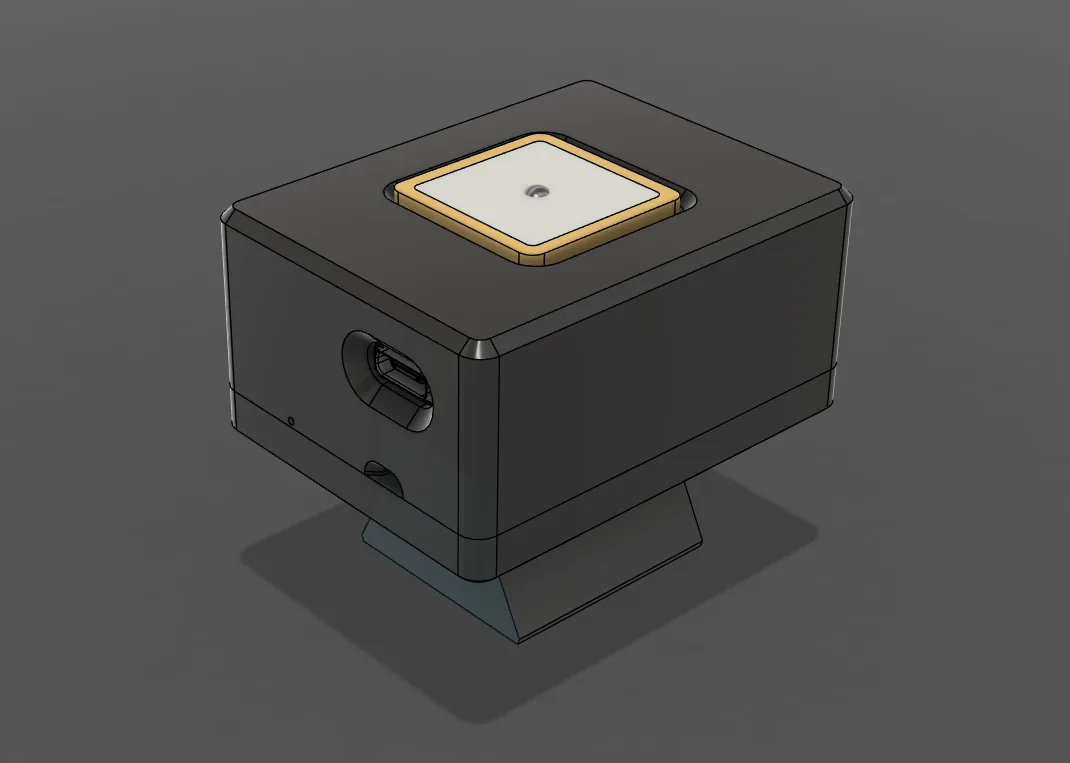
StarGuard sits next to the telescope and measures conditions on the spot. It locates the setup by GPS and reports a SAFE or UNSAFE state. It runs on USB-C power and sends its data over Wi-Fi via Alpaca. Plans, firmware and bill of materials published.
01 · Measurements
Weather, dew point and GPS in one box.
The dew point is computed from the BME280 readings. It tells you how close your optics are to condensation.
- Temperature
BME280From −40 to +85 °C, ±1 °C accuracy. - Relative humidity
BME280From 0 to 100% RH, ±3% RH accuracy. - Atmospheric pressure
BME280From 300 to 1100 hPa, ±1 hPa accuracy. - Dew point
ComputedFrom temperature and humidity. - Position
GPS NEO-6MLatitude, longitude and altitude of the setup.
No coordinates are sent until the GPS has a fix. Your software never receives a doubtful value.
02 · Safety
A SAFE or UNSAFE state.
From its readings, StarGuard computes a SAFE or UNSAFE state. Thresholds are set from the configuration portal.
UNSAFE when
Dew within 2 °C
The gap between temperature and dew point drops below 2 °C. Default setting.
UNSAFE when
Humidity above 90%
Relative humidity exceeds 90%. Default setting.
Note
Pressure doesn’t count
It is exposed as data and plays no part in computing the state.
Status LED
Read the state without a screen.
An LED shows StarGuard’s state with distinct blink patterns, visible from a distance in the dark.
- SAFEOne short blink every 5 seconds
- UNSAFEThree short blinks
- ErrorTwo blinks every 2 seconds, on a sensor error
03 · Wi-Fi
Set up from a tablet or phone.
When no known network is in range, StarGuard creates its own access point. A configuration page opens in the browser.
- App
- Data cable
- Account
- Connect to StarGuardThe access point turns on when no known network is available.
StarGuard-Env-XXXX - Set networks and thresholdsWi-Fi networks and safety thresholds are set from the configuration page.
- It joins whichever is availableUp to 10 saved networks: home network, field hotspot or phone tethering.
Reset button · hold 5 s: networks cleared, access point restarted · LED stays on during the countdown
04 · Alpaca
An Alpaca device, read directly.
StarGuard shows up as an Alpaca device, ObservingConditions profile. It is read directly from NINA and Alpaca-compatible software, with no proprietary driver and no Raspberry Pi.
Data travels over Wi-Fi. No data cable between the box and the computer.
ObservingConditions
Alpaca
- Temperature
°C - Humidity
% RH - Dew point
°C - Pressure
hPa
Also available as JSON over an HTTP API, readable by any client.
05 · Open Hardware
Everything is published.
Everything needed to build, repair or modify StarGuard is published under the MIT licence, free to download from the Documentation section. No account required.
Everything is published, including the SAFE / UNSAFE calculation: change the rules if ours don’t suit your site. And if you buy it ready-made, you can still fix it yourself.
Open files
MIT
- FirmwareThe ESP32-C3 code
Source - CaseThe parts, ready to print
STL - Circuit boardManufacturing files and project to modify the circuit
Gerber · EasyEDA - Bill of materialsComponents with part numbers
BOM
What we sell.
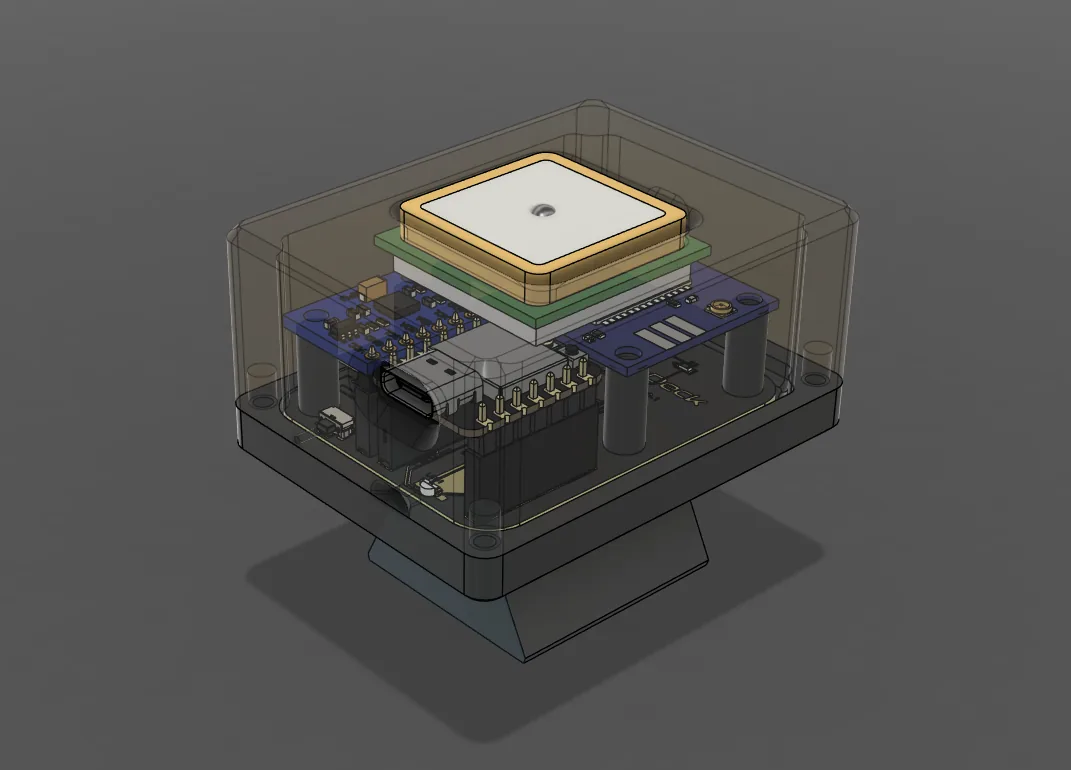
Not everyone has a 3D printer or wants to solder. So StarGuard comes at several levels.
- Assembled, tested moduleThe complete StarGuard, ready to plug in.
- Electronics kitThe board and its modules, to build the case yourself.
- PETG-CF printed partsThe case, for those who don’t print carbon.
- Spare partsBME280, GPS module, microcontroller, to repair or replace.
Buying the assembled module closes no doors: it stays open and modifiable.
06 · Components
Standard components.
Nothing brand-specific, nothing you can’t buy elsewhere. If a part breaks or is no longer made, an equivalent will do: that’s what the schematics and files are for.
- Microcontroller
- Seeed Studio XIAO ESP32-C3, programmable over USB-C
- Weather
- BME280 sensor over I2C
- GPS
- GY-NEO6MV2 module, u-blox NEO-6M, built-in ceramic antenna
- Power
- USB-C 5 V
- Case
- Compact, printed in PETG-CF
In the StarDeck Labs ecosystem
StarGuard works on its own. It complements the StarCase Lite, and the StarCase Max integrates its sensors. Its dew point will feed the DewController to regulate heater bands, and the StarHub will read it over ESP-NOW. No module is required.
StarHub · DewController · in development
Data sheet
Specifications
- Microcontroller
- XIAO ESP32-C3, Wi-Fi 802.11 b/g/n 2.4 GHz
- Temperature
- −40 to +85 °C, ±1 °C accuracy
- Humidity
- 0 to 100% RH, ±3% RH accuracy
- Pressure
- 300 to 1100 hPa, ±1 hPa accuracy
- GPS
- u-blox NEO-6M, 2.5 m CEP, cold start ≈ 27 s, hot start < 1 s
- Power
- USB-C 5 V, about 125 mA
- Wi-Fi
- 10 saved networks, access point StarGuard-Env-XXXX
- Interface
- Web portal, HTTP JSON API, Alpaca (ObservingConditions)
- Indicator
- Status LED, Wi-Fi reset button
- Case
- PETG-CF
- Licence
- MIT: firmware, STL files and electronics files
FAQ
Frequently asked questions
Do I need a Raspberry Pi?
No. NINA or any Alpaca-compatible software reads the data directly over Wi-Fi.
Where should StarGuard go?
Close to the telescope, with the GPS facing open sky to get a fix. The access point or chosen network must be in range.
Why is it cheaper than commercial stations?
An ESP32-C3, a BME280 and a GPS module cost a few euros each. We print the case ourselves and sell direct, with no reseller and no ads.
What if StarDeck Labs disappears?
If StarDeck Labs ever stops, the files are still yours: under the MIT licence, they’re all you need to remake the board and reflash the ESP32-C3.
Availability · in development
Hear about the next steps.
StarGuard is in development. Join the waiting list to be kept informed.
A few emails at key milestones. No newsletter.