


Alpha
Free


 Offline · no account
 Himinn
The free planetarium for planning your imaging.
Tonight’s targets, your optical train in 3D and a framing ready before you take the telescope out.
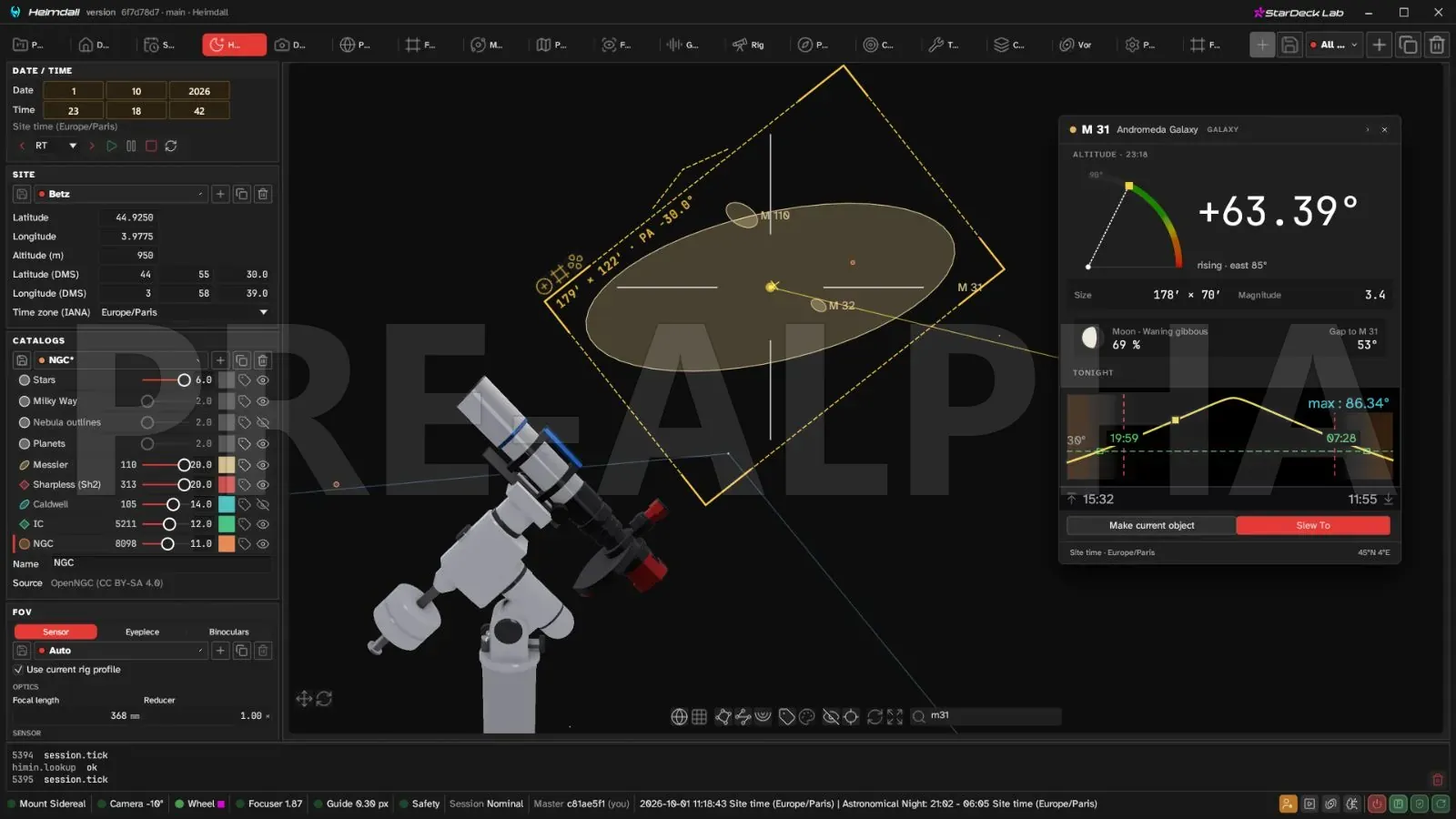
It’s Heimdall’s planetarium as a standalone app, cut down to what you need to pick a target and frame it.
Who it is for
Amateur astrophotographers who plan their sessions: pick a target, check it will be high enough, see whether it fits the field of their instrument, save the framing.
It also suits anyone who just wants a lightweight planetarium geared towards imaging rather than visual observing.
What is in Himinn
Four workshops to plan the night.
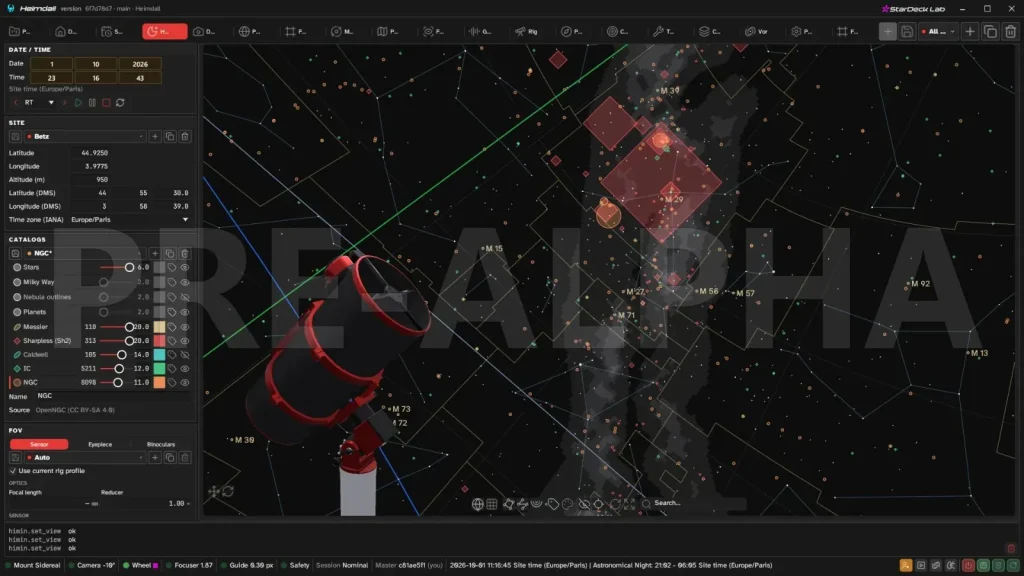
The sky
3D sky map
The Planner
Choose what to shoot
Framing
Frame, rotate, build mosaics
The 3D Rig
Your real optical train
01 · The sky
The sky as your sensor sees it
An offline 3D sky map with a projection dedicated to astrophotography: stars, constellations and their boundaries, object names, coordinate grids, and the horizon and meridian of your chosen location. Deep-sky objects are drawn at their true size, so you see at once what fills a frame and what is tiny in it.
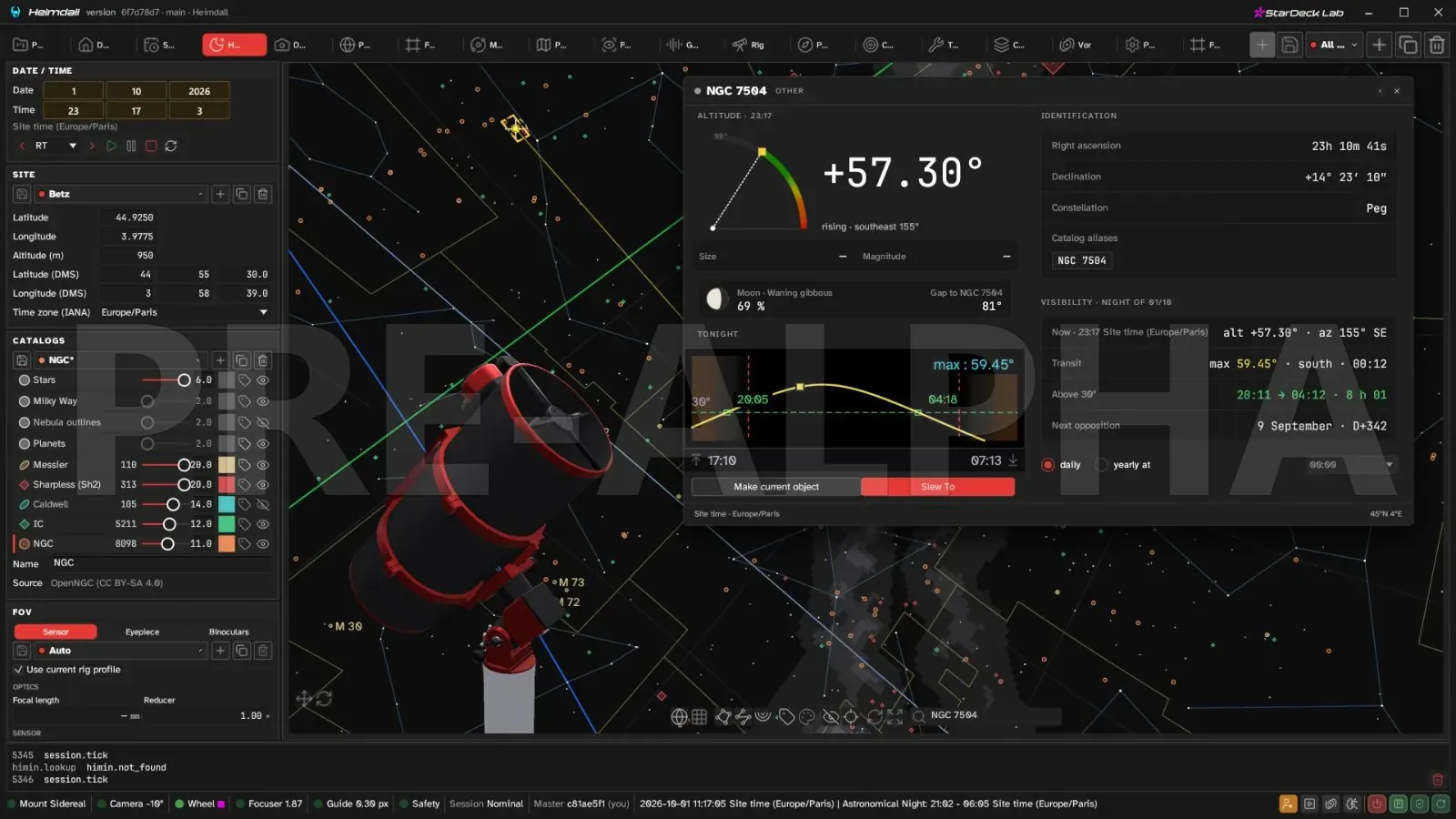
Search
By identifier or by common name.
- M 31
- NGC 7000
One card per object
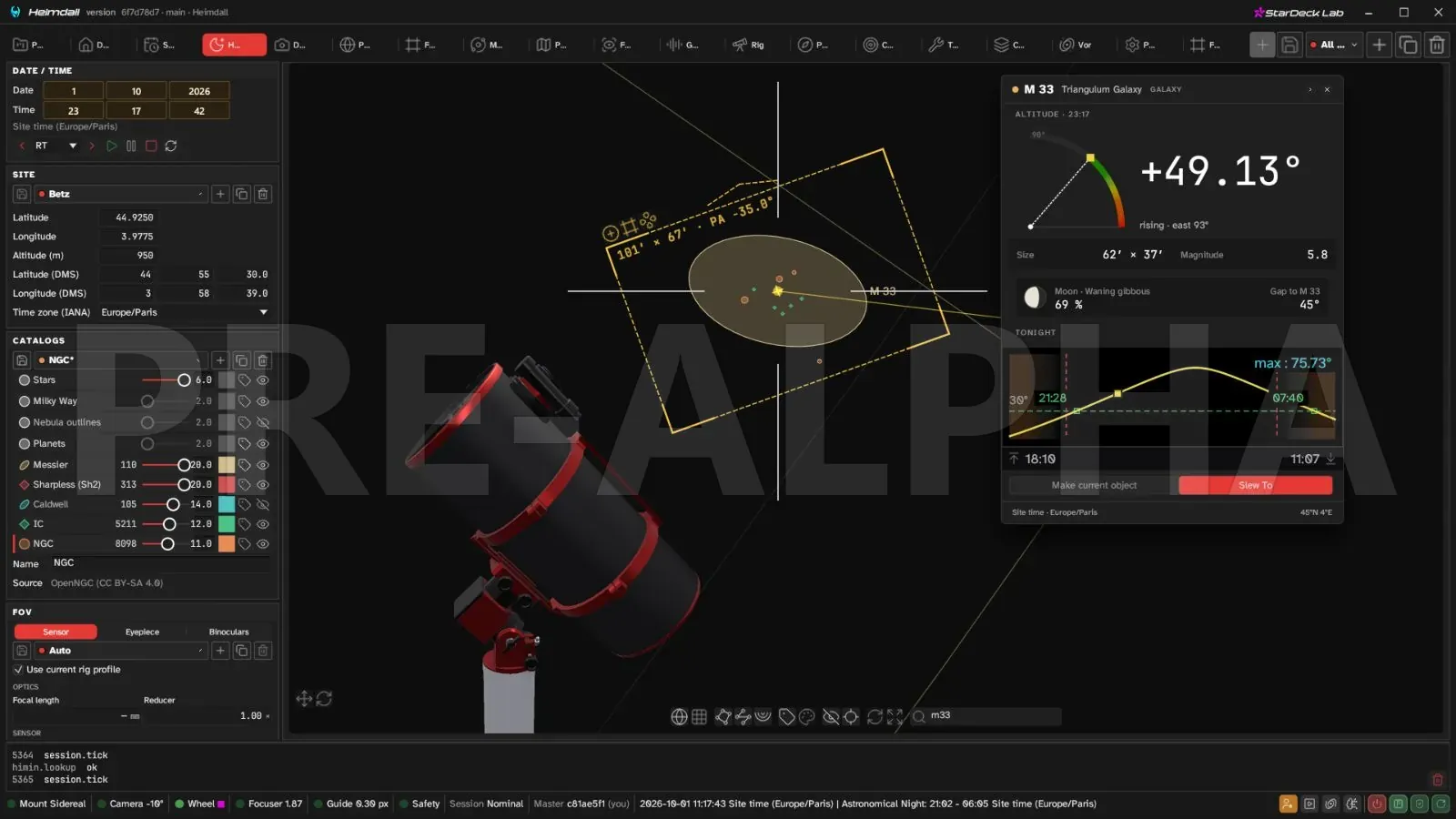
Type, constellation, magnitude, size, position, current altitude, rise, meridian transit, set, and the night’s altitude curve.
Adjustable place and time
Look at tonight’s sky, or any other night’s.
02 · The Planner
Choose what to shoot.
In the spirit of Telescopius. The home page shows the targets that are well placed right now for your location and night, by type, along with the window of true darkness.
- Galaxies
- Galaxy clusters
- Emission nebulae
- Planetary nebulae
Filtered search
Type, constellation, magnitude, size, above X° for at least N hours, Moon distance, fits your instrument’s field.
Ranked results
Sort by transit, useful hours, altitude or size, with a small altitude curve on every row.
Target lists
Named, by site, by month or by project.
Year view
The best months for a target, or the best-placed targets for a month.
Sky calendar
Moon phases, eclipses, conjunctions, oppositions, meteor showers, computed locally for your location.
Custom horizon
Trees, houses, roofline: entered or imported. Useful hours, filters and altitude curves take it into account.
03 · Framing
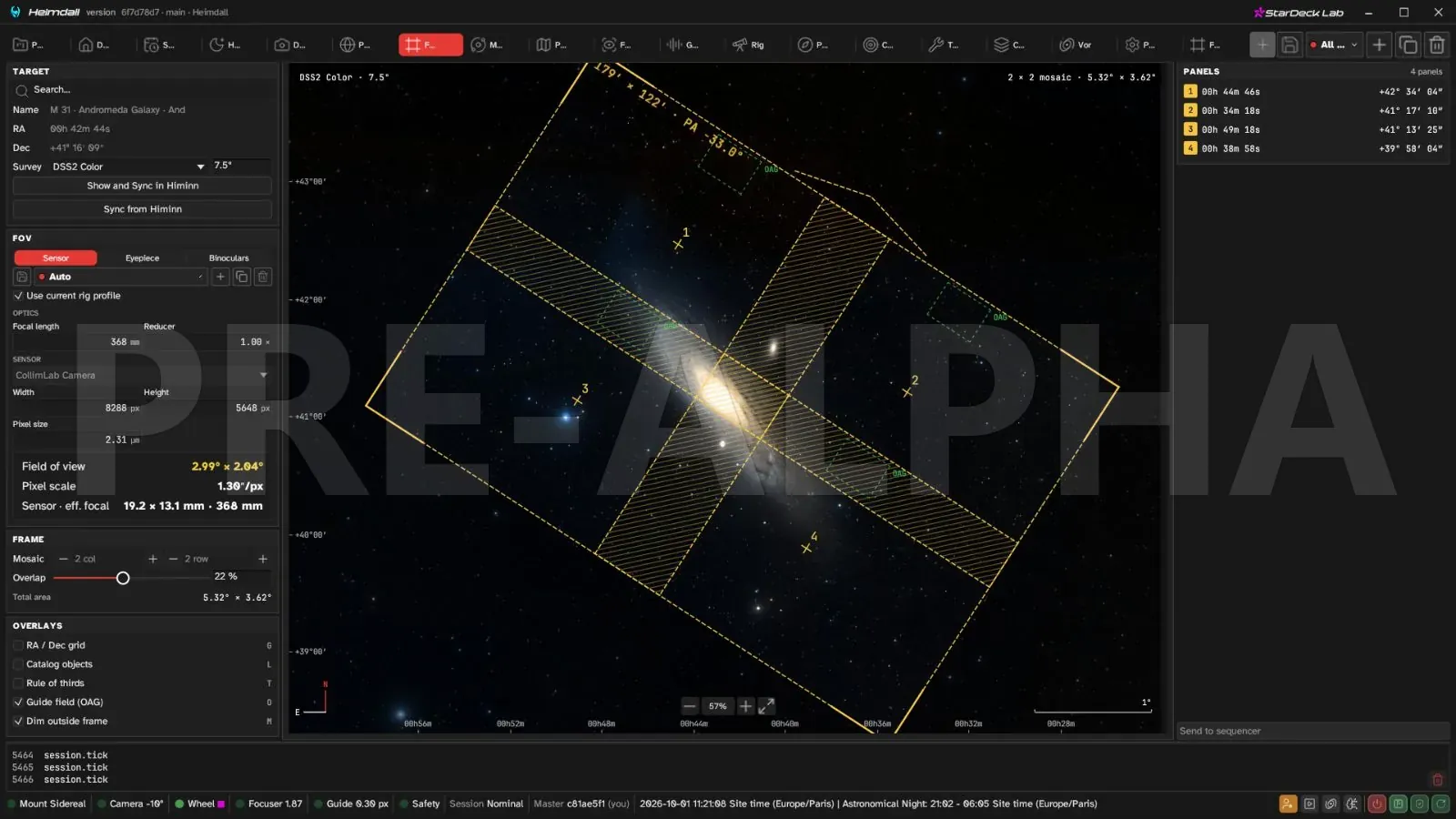
Frame it before the telescope goes out.
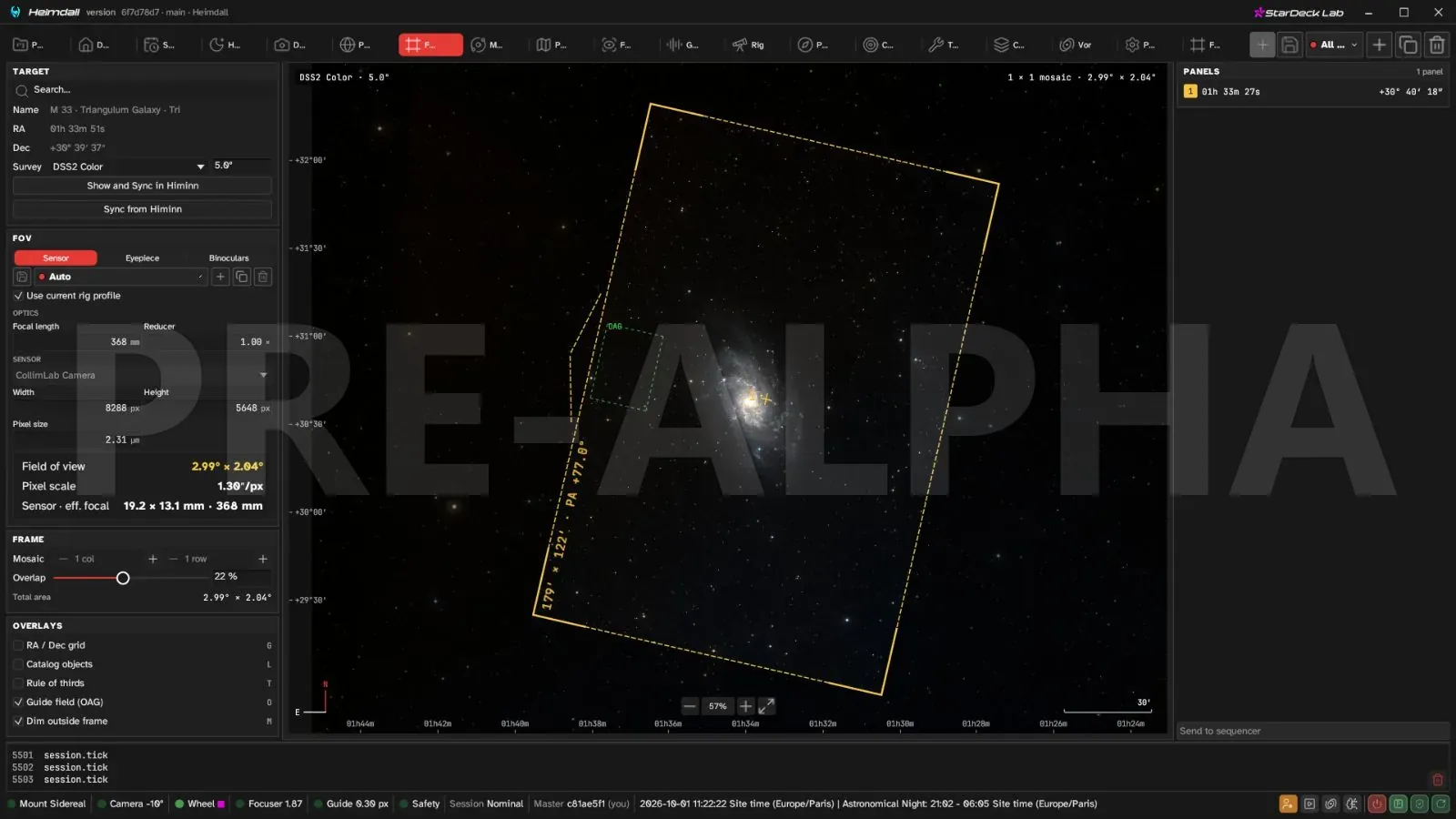
Place your camera and optics frame on the sky, rotate it, build a grid mosaic. What you frame in Framing shows up on the sky map, and the other way round.
One button saves your framing and mosaic to a Heimdall file, ready for the day you move up to the full station.
04 · The 3D Rig
Your real optical train, in three dimensions.
Piece by piece, just like in Heimdall, with its saved profiles. Your sensor’s field follows from it.
Catalogues that stay light
The Messier catalogue is built in. Other catalogues go into a library next to the program, for example OpenNGC for NGC and IC. Himinn never downloads anything by itself in the middle of the night.
What Himinn is not
- Mount control
- Camera control
- Night sequencing
- Survey imagery
- Photometry · spectroscopy
It is a planning tool.
The StarDeck suite
Himinn is also the planetarium inside Heimdall, so a framing you prepare here opens straight in Heimdall.
 Heimdall
Discover →
The complete station: node-based sequencer, deep-sky and planetary capture, offline plate-solving, guiding, and the rest.


Plan your next night.
Himinn is free and installs in a couple of minutes.
Free