


 Vör
The fast FITS viewer built for astrophotographers.
Open a whole night of subs and keep only the good ones. Vör also shows you what your stars say about your optical train: tilt, backfocus, coma.
Vör sits between capture and processing. It opens your FITS files in an instant, stretches them for the eye, compares them, measures them and sorts the whole series. It never changes a single pixel of the file.
Pre-order price: 30% off the €27 launch price. Charged today, licence and download at release. Selected beta testers get Vör free, for life.
 Also included in the Rune tier on Patreon, €5 / month
Who it is for
The day after a session, find out what’s in your folder: which subs to keep, which to discard, and whether your instrument is properly set up.
For anyone who already captures with other software and wants to check their subs properly, or judge tilt, backfocus or coma on frames already taken, without taking the telescope out again.
Fast, first of all
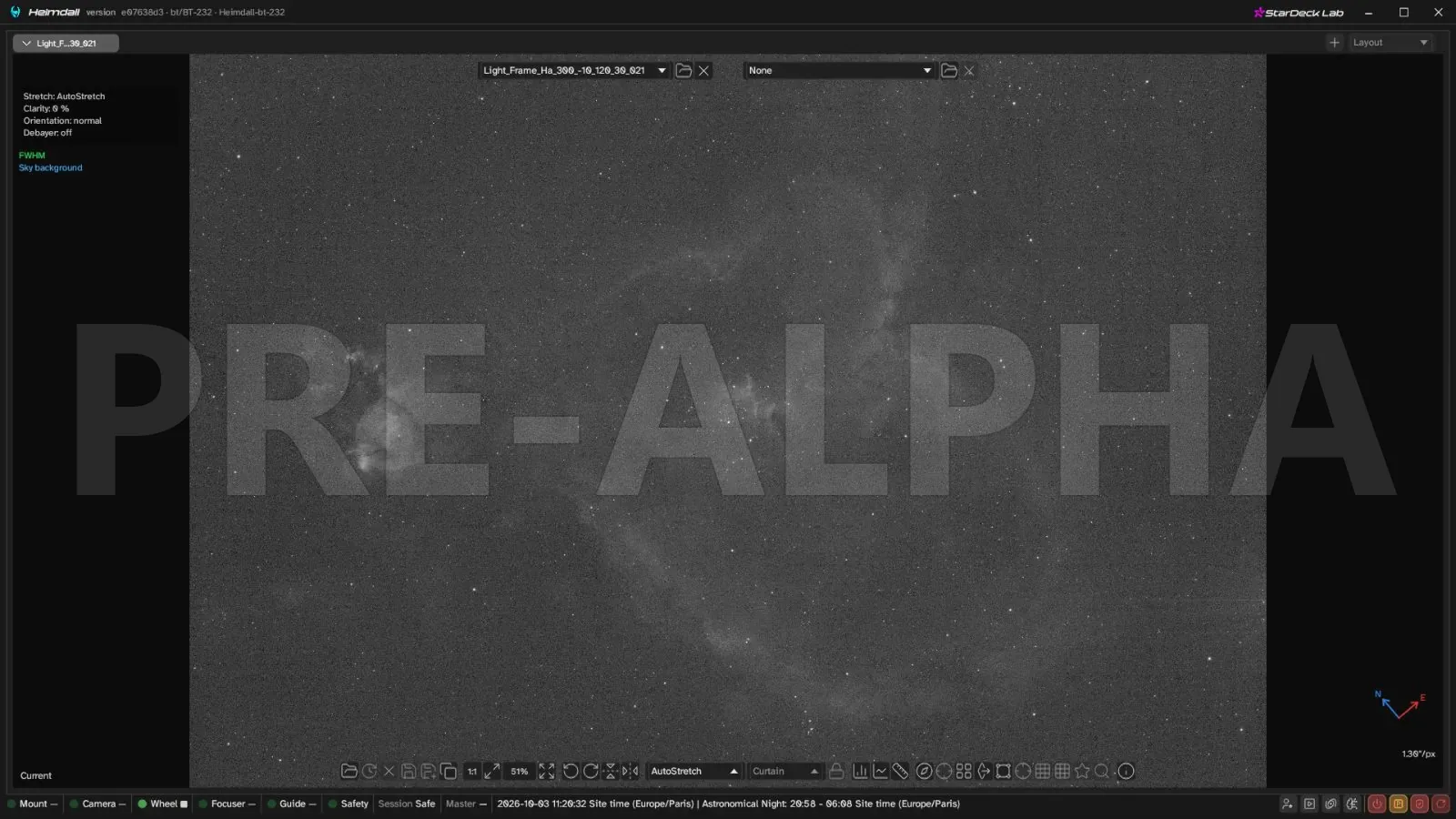
A FITS viewer is judged by its first move: you open a file, and the image is there. In Vör, display runs on the graphics card; the first image of a folder appears at once, and its neighbours load in the background.
Blink switches between two images almost instantly, even with large FITS files. The ← and → keys step to the next sub, keeping zoom, position and stretch.
2.5 s
to analyse 83 subs of 91 MB each and sort the whole series.
What is in Vör
Two workshops plus optical analysis tools.
The viewer and Quality Grading. The optical measurement tools live in the viewer.
The viewer
Open, stretch, compare
Quality Grading
Sort a whole session
Optics
Tilt, backfocus, coma, star
Measure
Regions, distances, orientation
01 · The viewer
Stretch for the eye, never the file.
Everything you need to look at a sub the way an imager does, without ever touching the data.
- Open without fussDrag your FITS files onto the window, or open several at once with the “+”. Dropped on the left: current image (Current). On the right: reference (Ref).
- Browse the folderA thumbnail strip shows the whole session; one click opens an image.
- Seven stretchesLinear, logarithm, square root, squared, asinh, histogram, and AutoStretch by default. Ctrl + wheel adjusts brightness continuously.
- Stretch from a regionDraw a rectangle on the nebula or the sky background: the stretch is recomputed from that content, channel by channel, and applies identically to the whole series.
- Zoom and viewWheel zoom centred on the cursor, drag to pan, Fit, 1:1, rotate, mirror, histogram. A discreet overlay reminds you of the stretch, debayering and orientation.
- Export the previewThe stretched image saves as JPEG, TIFF or PNG, or copies to the clipboard.
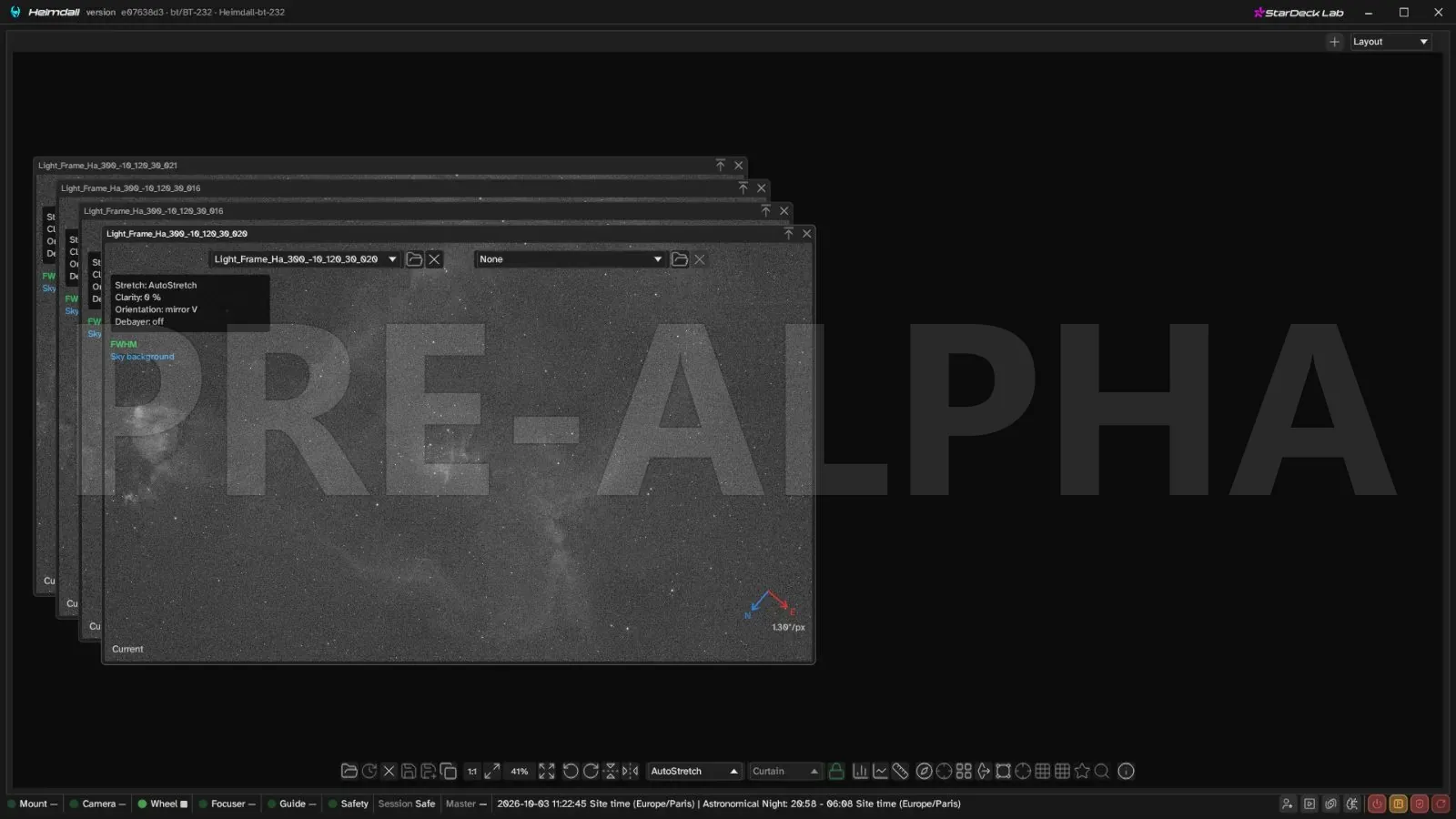
Several images, one view
Each image can be pulled out into its own window, placed wherever you like. A list arranges them in one go: cascade, tile, tile horizontally or vertically.
A lock ties them together: zoom, pan, rotation, mirroring, stretch and brightness are repeated everywhere. You compare four subs star by star, with a single gesture.
Compare Current and Ref
Curtain
A line splits the two images, and you slide it.
Blink
Near-instant switching from one to the other.
Side by side
Both images, next to each other.
Opacity
Ref laid over Current, from 0 to 100%.
Difference
Identical = black, different = bright.
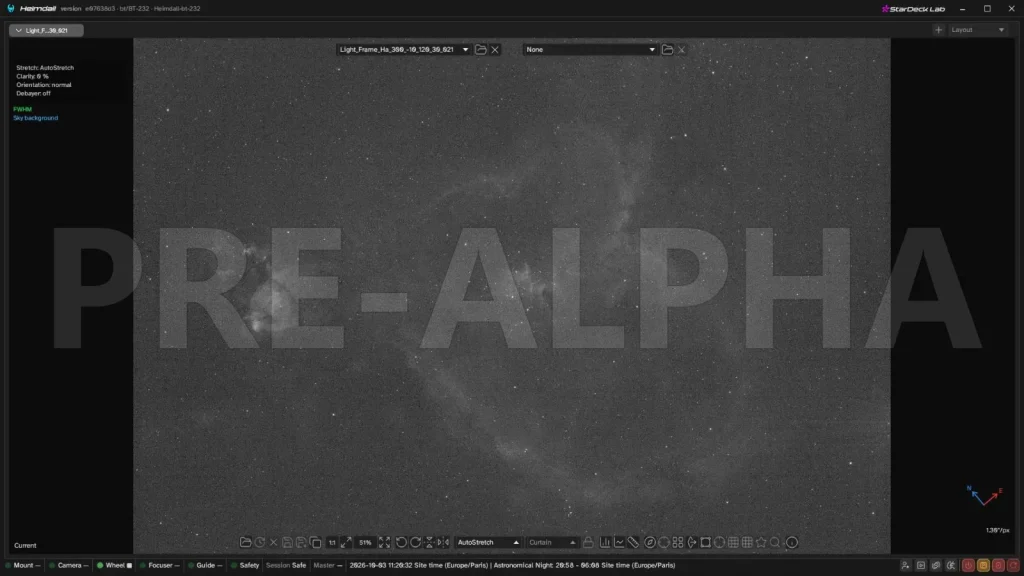
The five comparison modes, on video Curtain · Blink · Side by side · Opacity · Difference
Cookie-free YouTube · loads on click
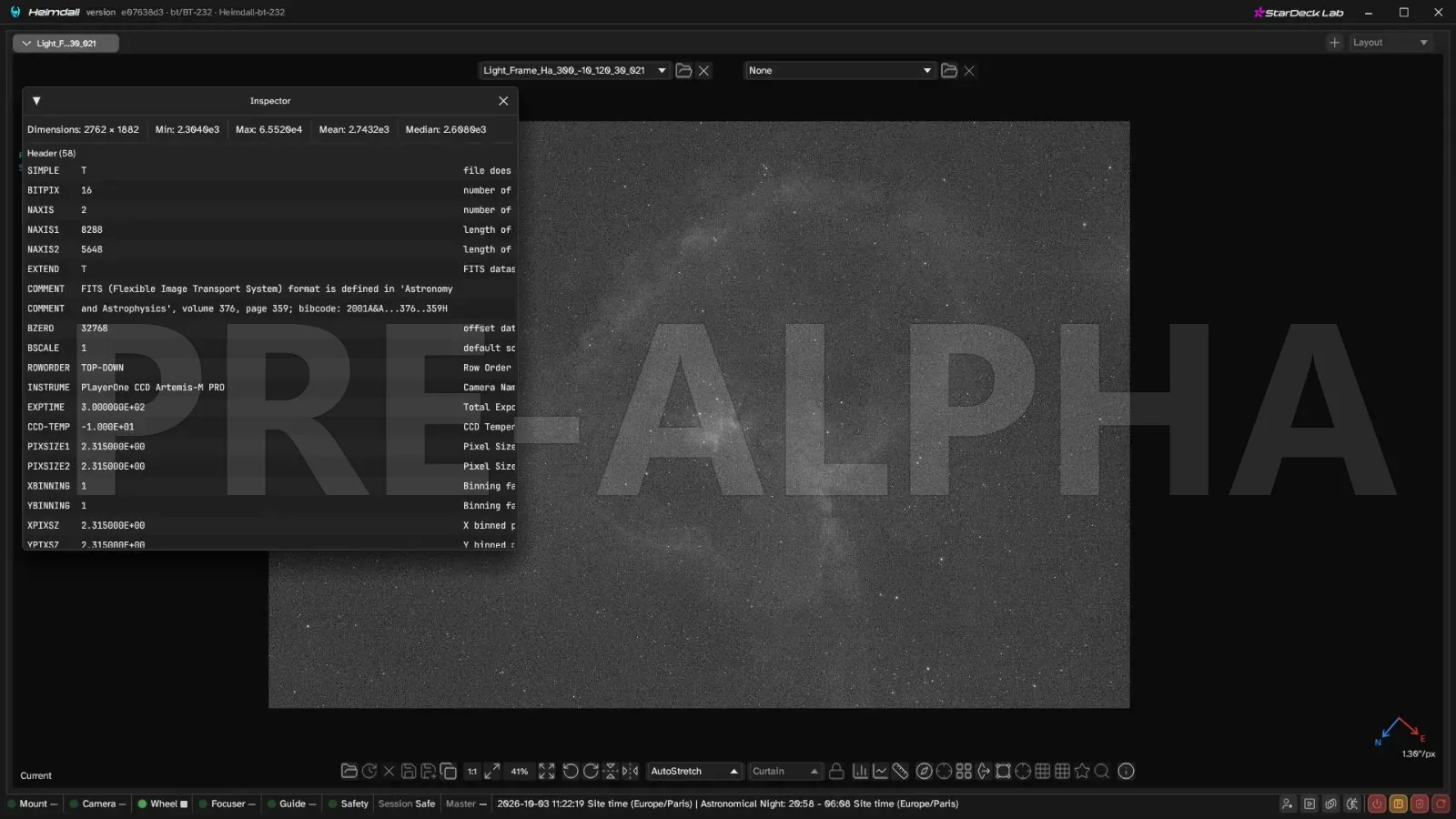
Read the header
The inspector shows the full FITS header and the image statistics: dimensions, minimum, maximum, mean, median.
02 · Quality Grading
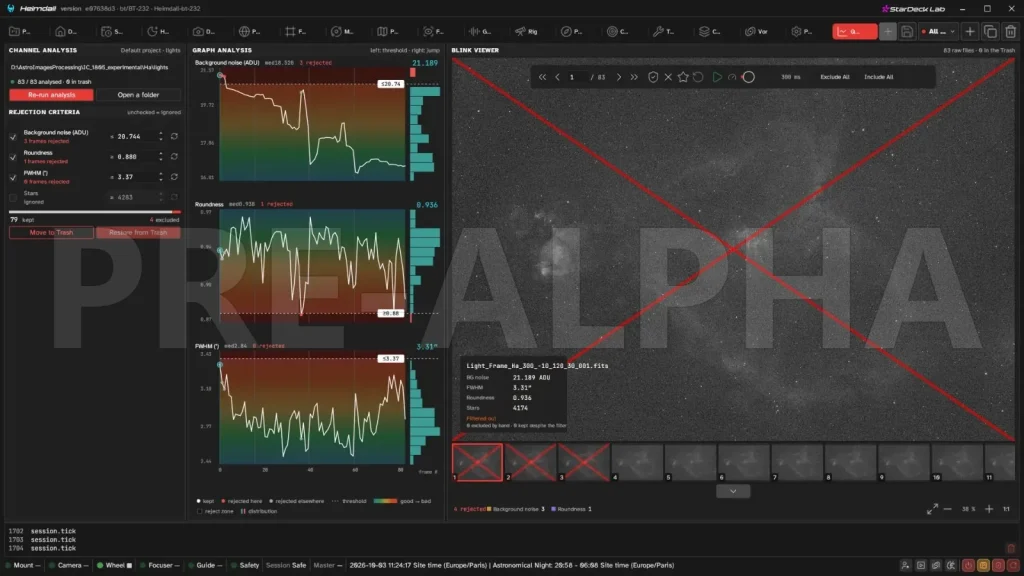
83 subs sorted in 2.5 seconds
Open a folder and click Run analysis. Vör measures every sub itself, with no external software: background noise, star roundness, FWHM and star count. Run it again and it only recomputes new or modified images.
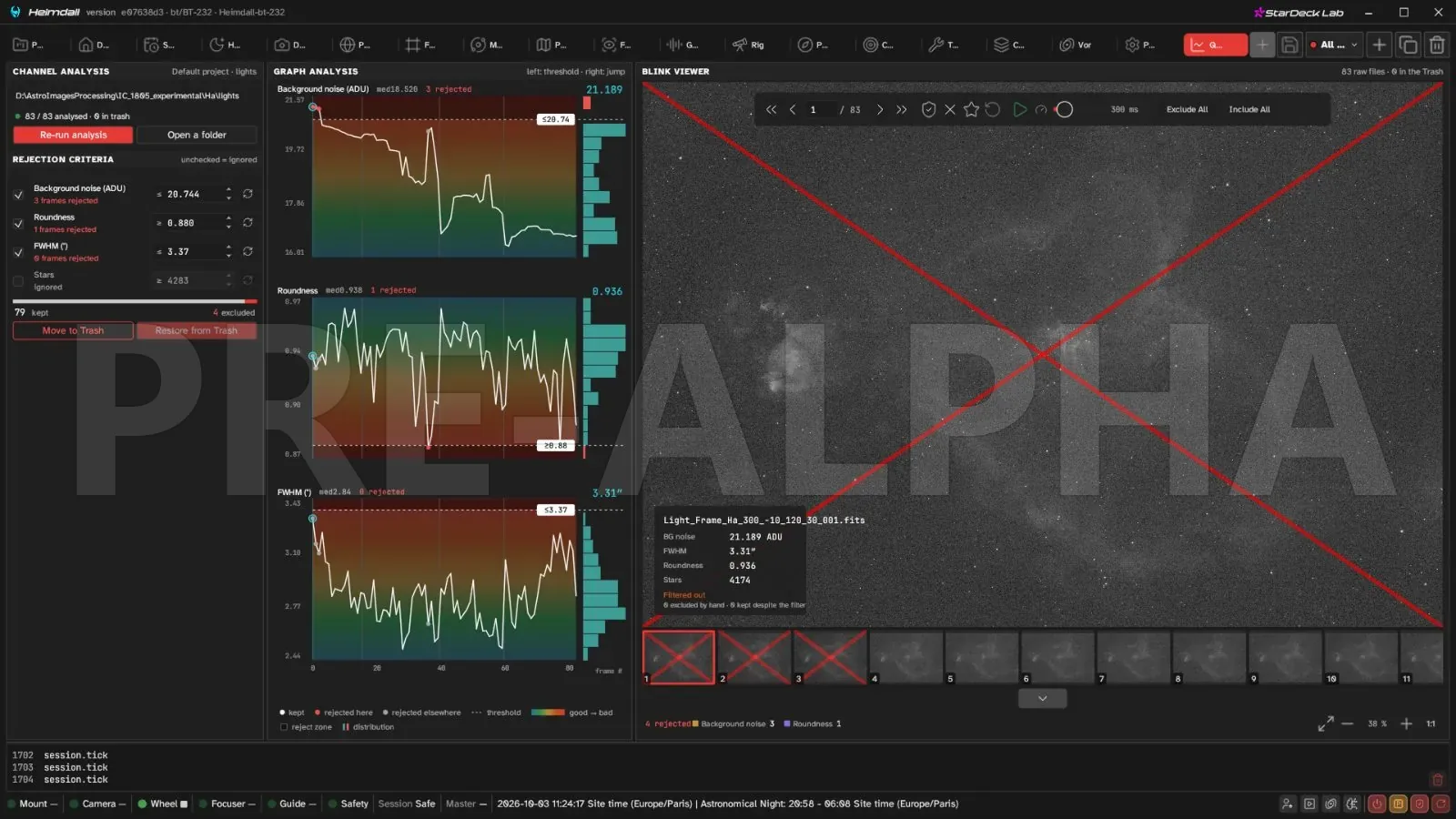
Three graphs
One value per image, in capture order. Several nights in the same folder? A line marks each change of night.
Thresholds set for you
At the mean ± 2 standard deviations, adjustable in a field or by dragging directly on the graph.
Your eye has the final say
Exclude by hand, keep despite the filter, exclude all, include all, play the series as a Blink at the speed you choose.
From the keyboard
Reject, protect as a favourite, step forward, step back, undo without limit. A favourite is never discarded by a filter.
Nothing is lost
Move to Trash puts excluded subs in a Trash folder next to their folder. Restore from Trash puts them back. No file deleted, none overwritten.
03 · Optical analysis tools
Read your optical train in your stars.
Each tool switches on from an icon in the toolbar and shows its result right on the image.
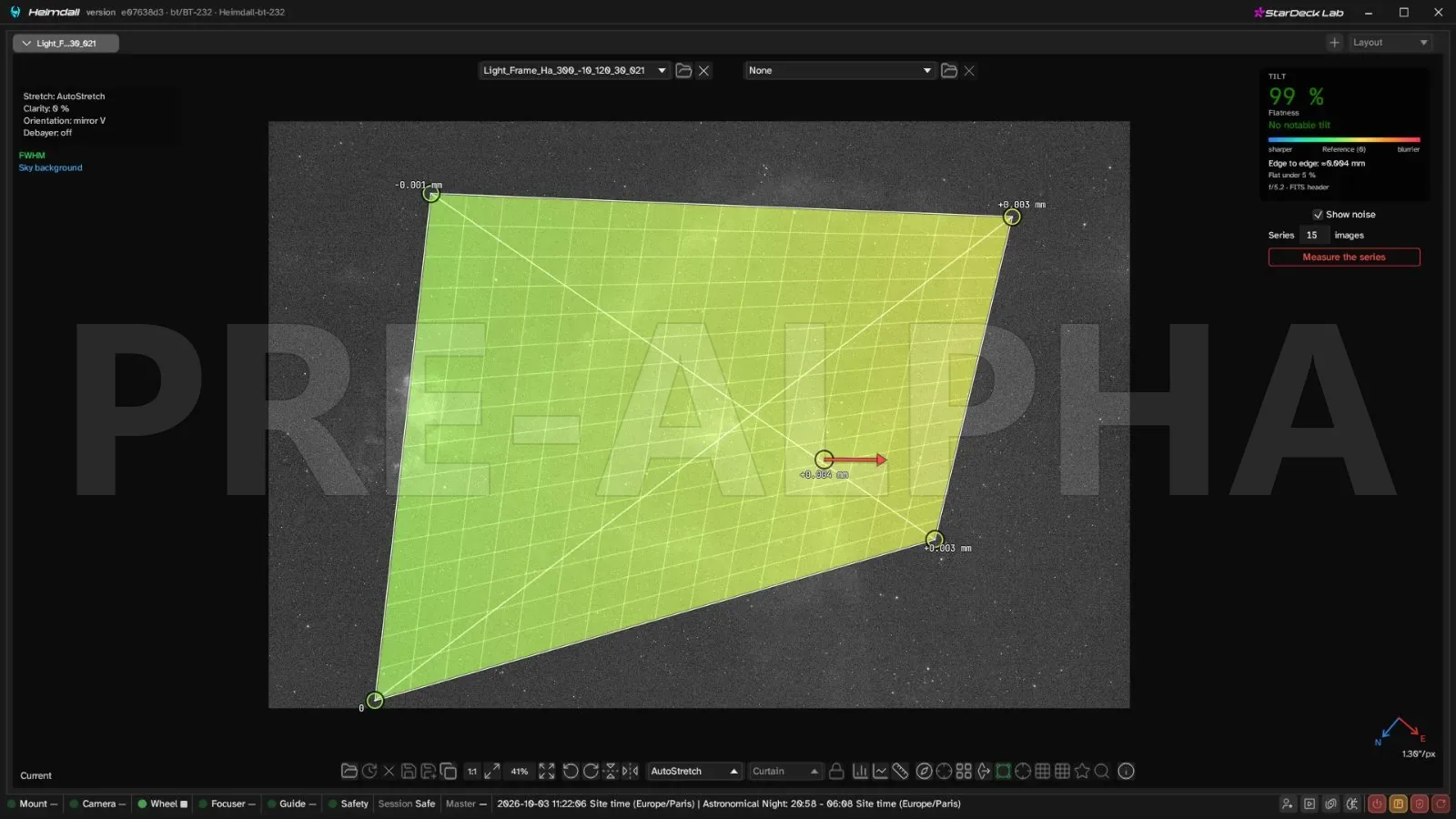
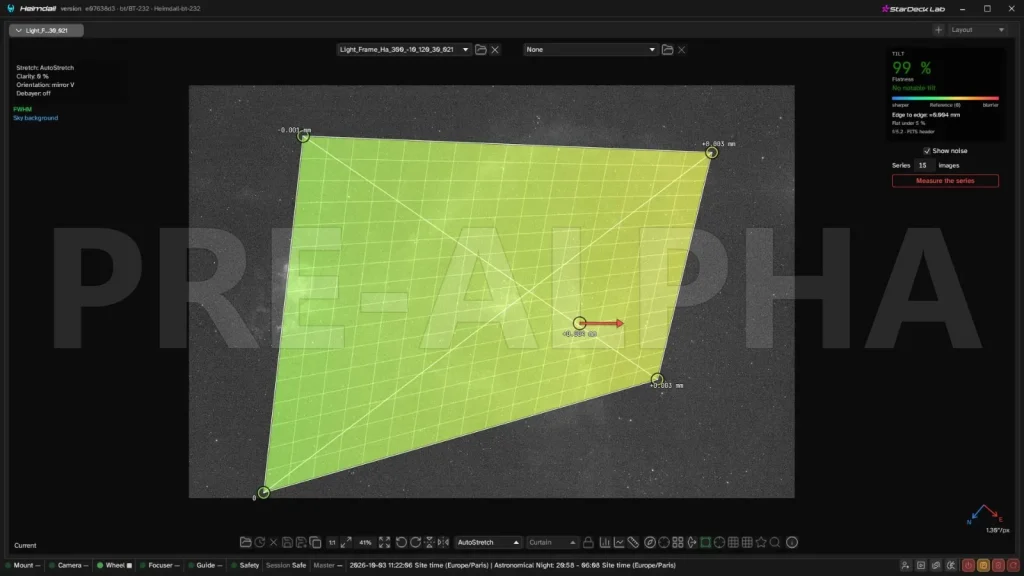
Tilt
A flatness index, and an arrow to the blurry side.
Vör measures star sharpness in nine zones and fits a plane to them: the tilt is its slope. The field is drawn as a polygon stretched between the corners and the centre, painted with a gradient from sharpest to blurriest, with its colour scale. When the header gives f/D and pixel size, the difference is shown in millimetres.
Measured on a series, not on one sub
Across 21 subs of IC 1805, the measured tilt varied from one image to the next, in a random direction. So Vör averages the image on screen and the following ones, on the same side of the pier, with their margin of error, and only shows a direction when it clearly stands out from the noise.
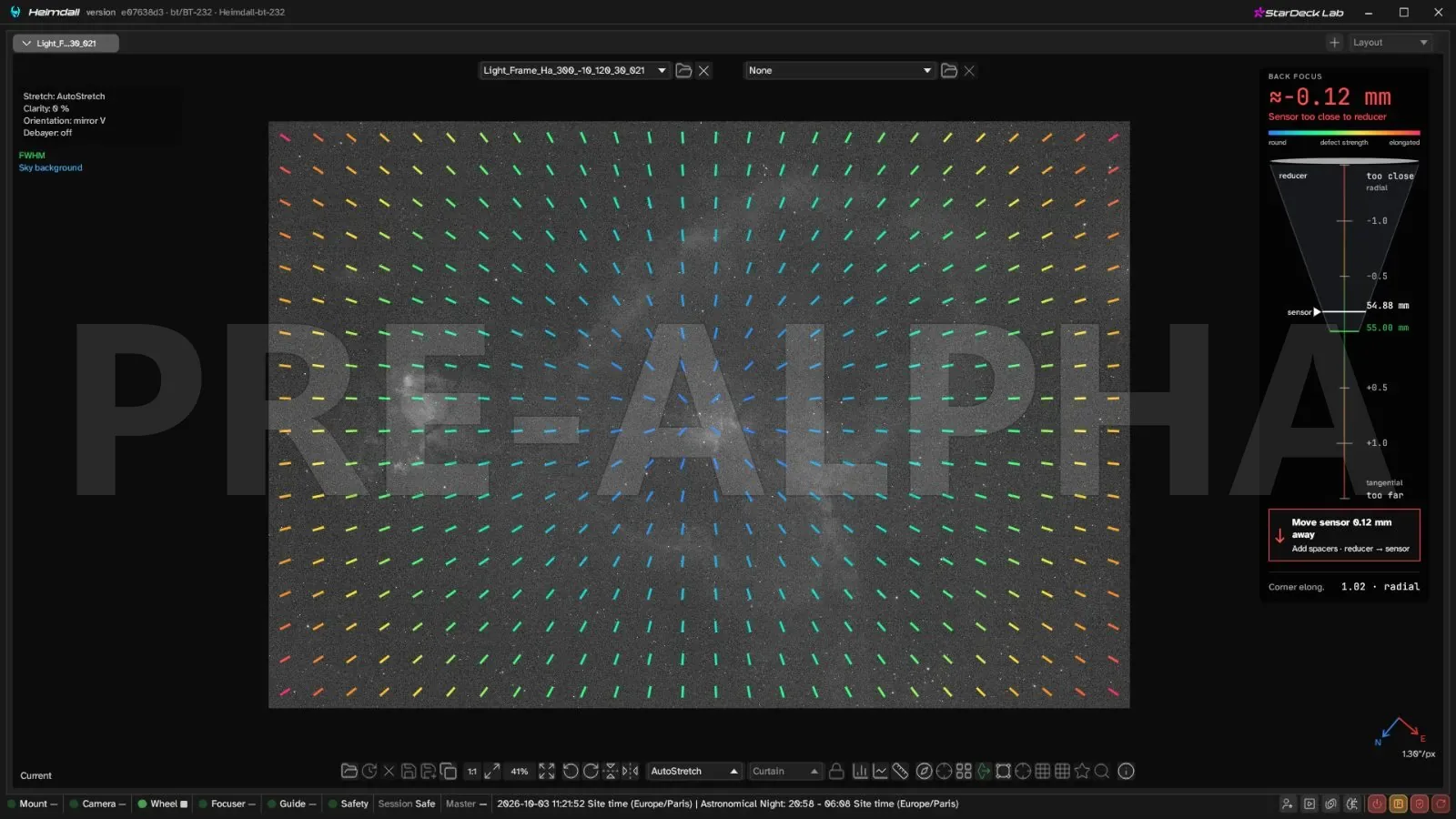
Backfocus
Too close, too far, and by how much.
How stars stretch from the centre to the corners tells you whether the sensor is too close to or too far from the reducer. Vör tells you which, gives the estimated amount in millimetres when the optics are known, and spells out what to do: move the sensor away or closer.
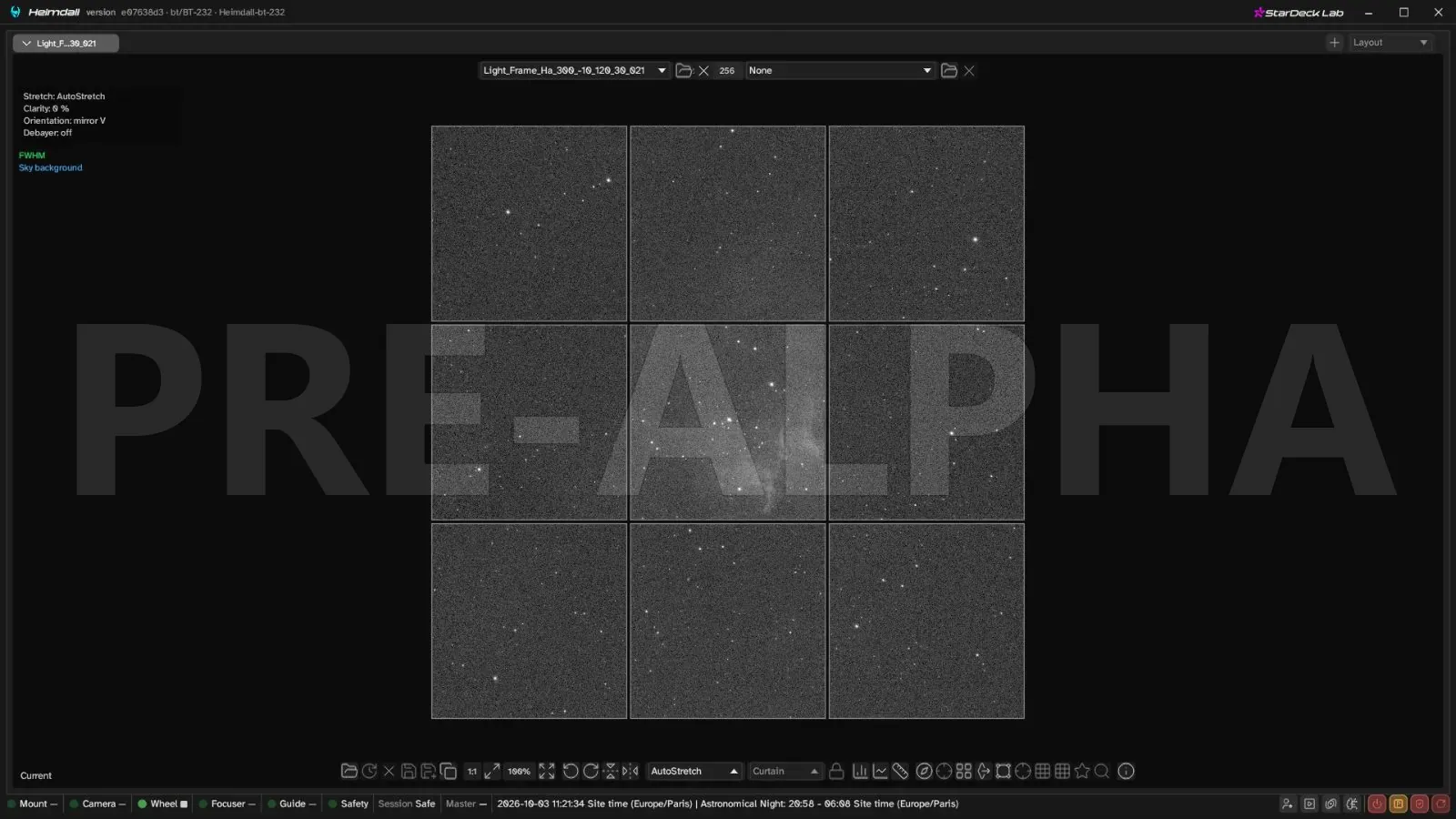
Coma Inspector
The centre and the edges or corners of the image, side by side. What happens at the edge of the field is visible at a glance.
Star
One star, every measurement.
Click a star: FWHM and HFR, eccentricity, roundness, peak, signal-to-noise ratio, and its radial profile drawn alongside, with the quality of the fit.
04 · Measure
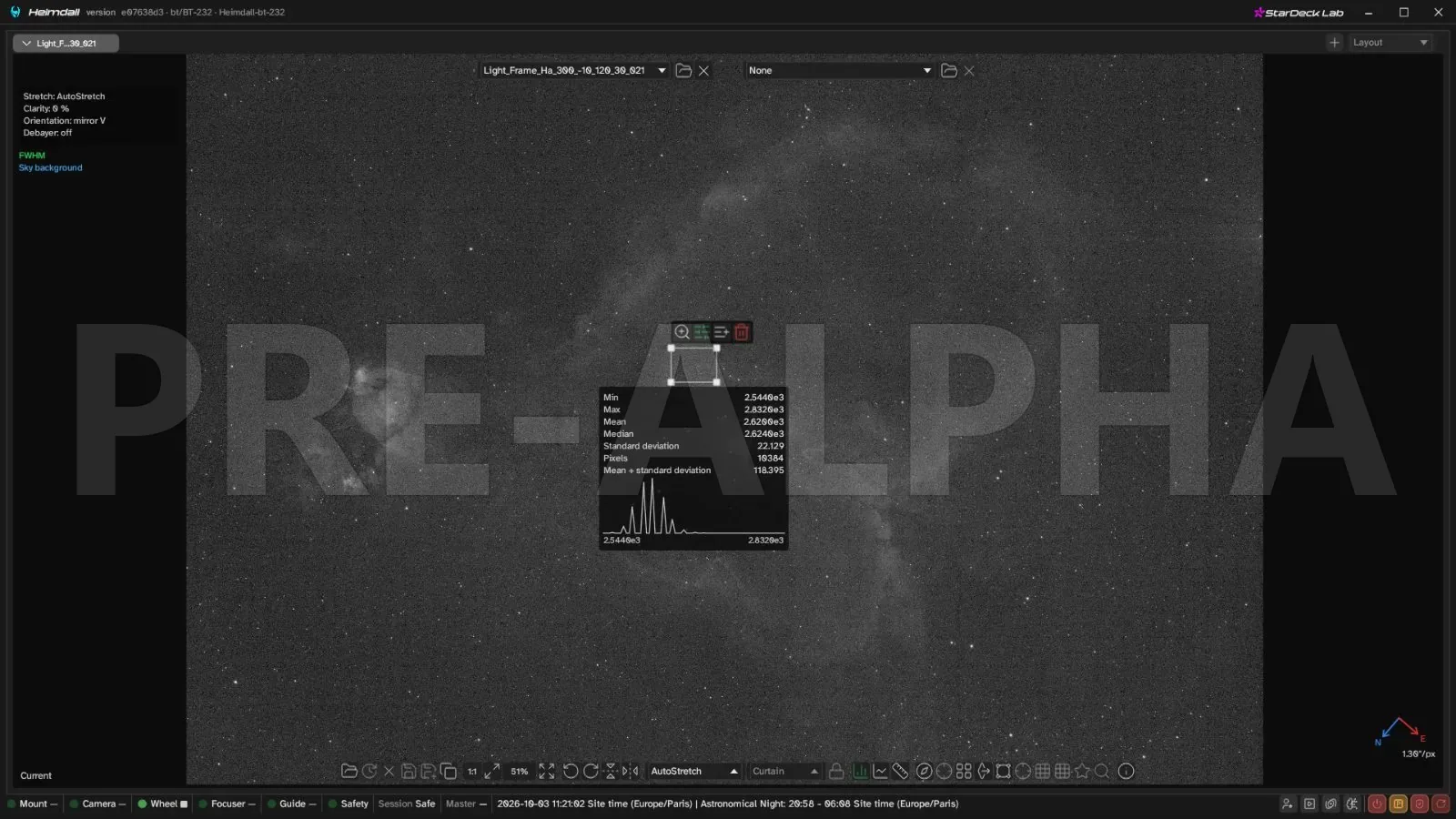
The file’s real values.
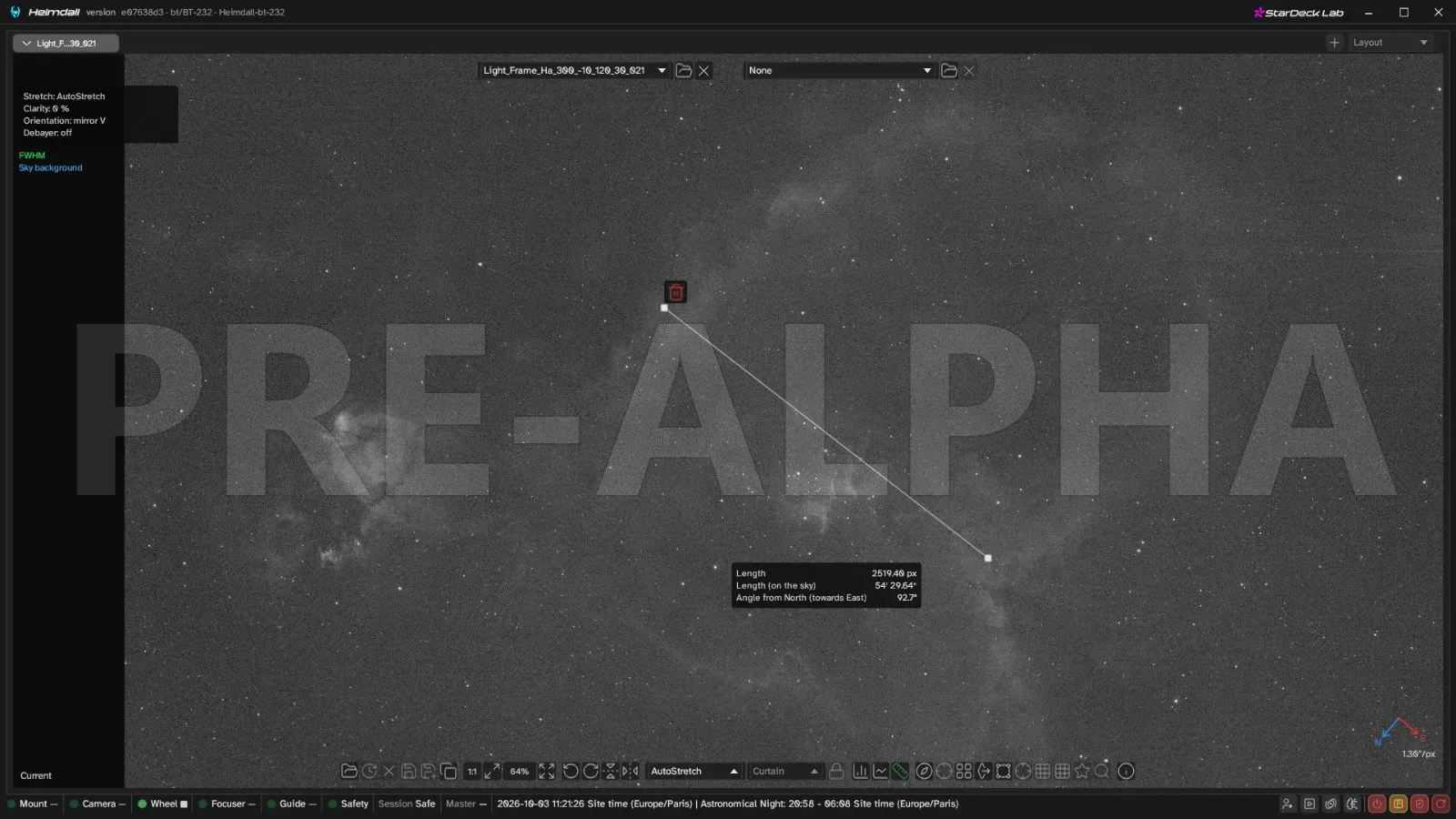
Draw a rectangle: minimum, maximum, mean, median, standard deviation, one set of figures per channel, with its histogram. Draw a line: length in pixels and in arcseconds, and angle.
Orientation
A North / East compass and the scale in arcseconds per pixel, read from the header. No orientation in the file? Vör computes it by plate-solving, offline.
Real-world FITS
An unreadable image is reported, without a crash.
What sets Vör apart
Built for the night you have just had.
Made for astrophotography
Astrophotography stretches, current image against reference, sorting a whole series, reading the optical train in the stars.
Your files stay untouched
Vör doesn’t transform anything: it looks, measures and sorts, before processing.
Measured across a whole series
A tilt tool that judges from a single sub can get it wrong. Vör averages a series and separates the trend from the noise.
What Vör doesn’t do
- Equipment control
- Capture
- Stacking
- Retouching
- Photometry · spectroscopy
It does not replace your processing software: it comes before it.
The StarDeck suite
Vör is also Heimdall’s built-in viewer: there it shows every sub as it leaves the camera. The settings and habits you build in Vör carry over unchanged.
 Heimdall
Discover →
The complete station: capture, plate-solving, guiding, Calibration Library and Dashboard, with Vör built in.

Reserve Vör at 30% off.
One-time purchase, licence for two machines, free updates for life from release. Or apply for the beta to try it before anyone else.


 €19 incl. VAT instead of €27 · 2 machines · licence at release
Or by subscription · Patreon
Vör is included in the Rune tier — €5 / month
Use Vör for as long as you’re a member, with the advanced features of EasyFlow for Siril. Early builds and a vote on the roadmap. Cancel anytime.
Access lasts as long as your membership. A purchased licence is yours to keep.