


In development
Price TBA

 Windows · macOS · Linux · ZWO cameras

Reïkis
Planetary video capture, from focus to a timestamped SER.
Plug in a ZWO camera and pick Jupiter, Saturn, Mars or the Moon. Reïkis helps you focus, keeps the planet centred and records everything, and it tells you about every dropped frame. SER files come out ready for AutoStakkert and WinJUPOS.
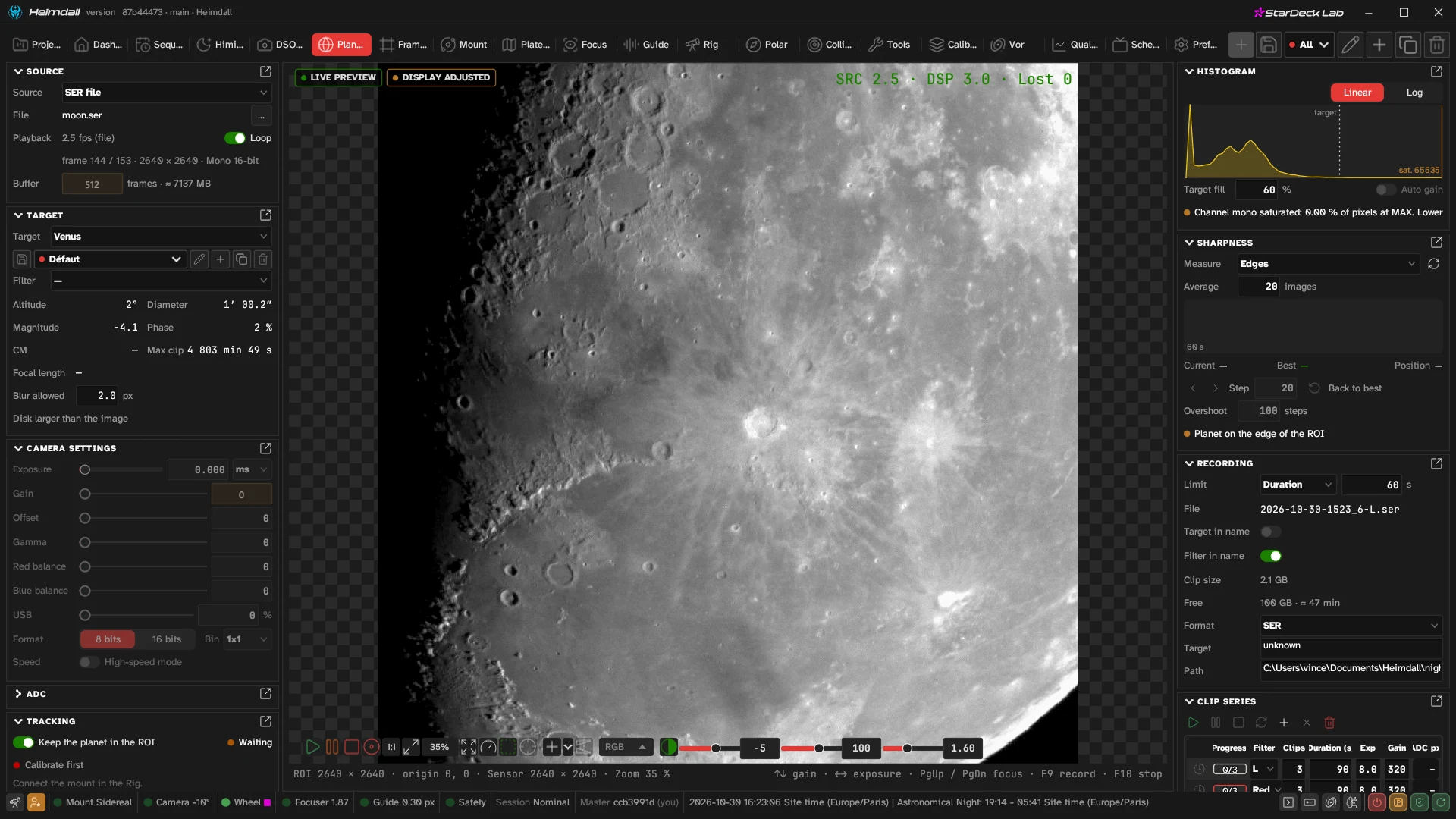
Fast planetary capture software with everything you need around it.
Prepare the target, set up the camera, focus, track the planet and record. It does one thing: film planets.
Who it is for
For planetary imagers who film Jupiter, Saturn, Mars, Venus, Mercury, the Moon or the Sun with a ZWO camera, and want one clear capture tool that shows exactly what happens between focusing and the file on disk.
01 · Capture
A copy-free stream, losses you can count.
Frames travel from the camera to the screen and the disk through a buffer (a ring of frames) designed to avoid needless copies so it keeps up with high frame rates. Its size is adjustable. When it is full, the new frame is dropped and counted: the frames already in the buffer stay intact and in order.
- Lost at capture
- Lost writing to disk
- Not displayed
Three separate counters
They show where each frame goes. The first two are real losses; the third does not touch your file. You see the camera’s frame rate and the display’s frame rate live.
The ZWO camera, live
Exposure, gain, offset, gamma, red and blue balance, USB bandwidth, high-speed mode, 8 or 16 bits, binning, and hardware ROI (size and position).
The limits of every setting are read from the camera, never assumed, and the value is read back after writing. If the cable drops, Reïkis reconnects by itself, reapplies your settings and restarts the live view.
The capture screen
A live image with zoom, mouse-drawn ROI, a “Centre on the planet” button and key, reticles, preview debayering for colour cameras (four Bayer layouts) and keyboard shortcuts.
You adjust the display without touching what is recorded.
02 · Target
Target card and sampling.
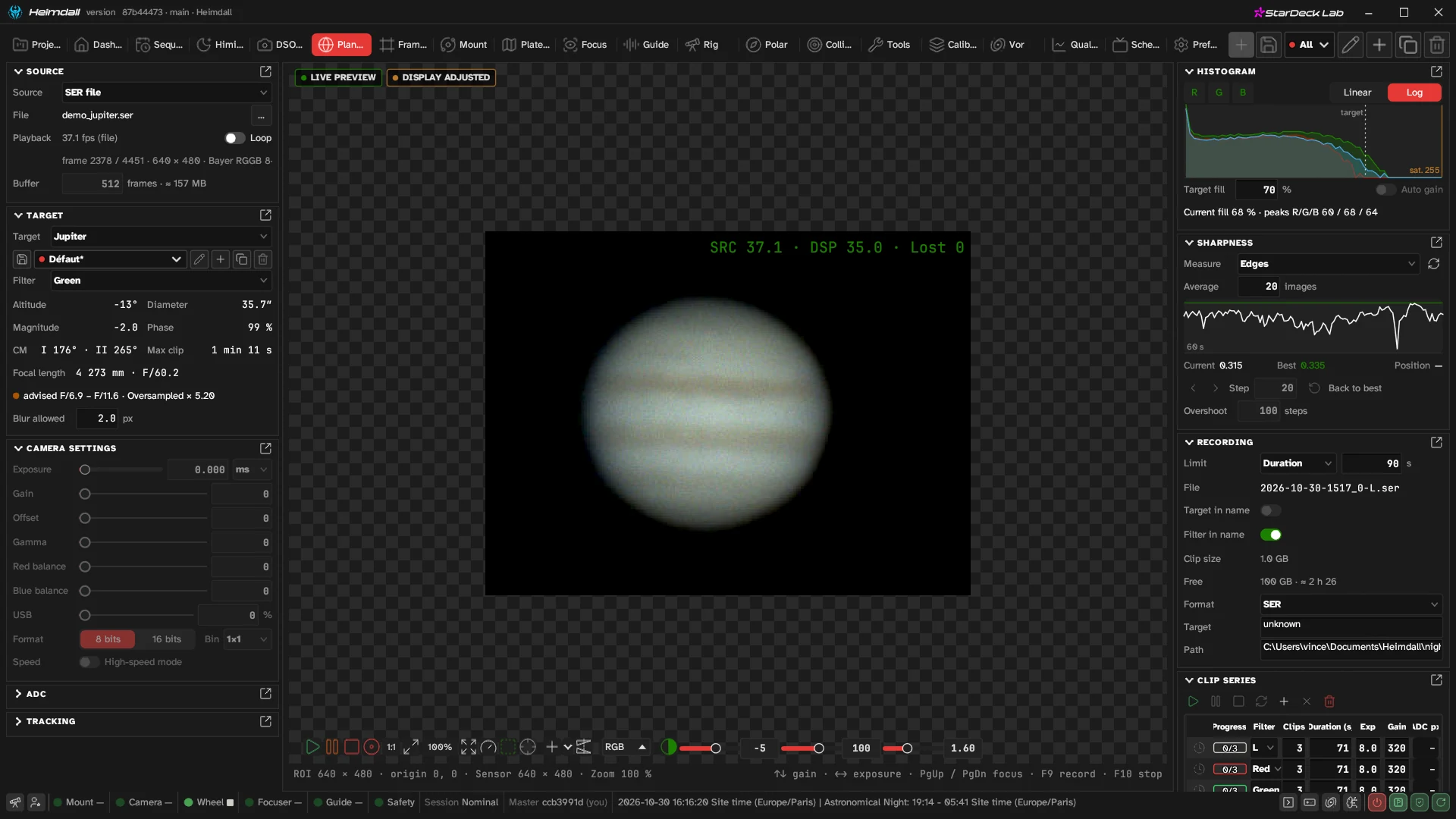
Reïkis computes the target’s card for your location: altitude, apparent diameter, magnitude, phase, and central meridian for Jupiter and Mars.
- Mercury
- Venus
- Mars
- Jupiter
- Saturn
- Uranus
- Neptune
- Moon
- Sun
Real focal length and F-ratio
Reïkis continuously measures your setup’s real focal length from the width of the disc in the image, derives the F-ratio, and gives a sampling verdict.
It also works out the maximum clip length before the planet’s rotation blurs the result (shorter for Jupiter than for Saturn).
Histogram and auto gain
A live histogram per channel, linear or logarithmic, computed on the raw values of the ROI. An alert flags saturation.
You set a target fill level; auto gain converges on it, pauses during a clip and steps aside as soon as you touch the gain by hand.
Per-target profiles
Exposure, gain, offset, gamma, balances, USB, bit depth, binning, ROI size, fill level, recording limit, file naming.
Switch planet and everything follows. Starting values are already provided for the nine targets.
03 · Focus and tracking
Sharp, and kept centred.
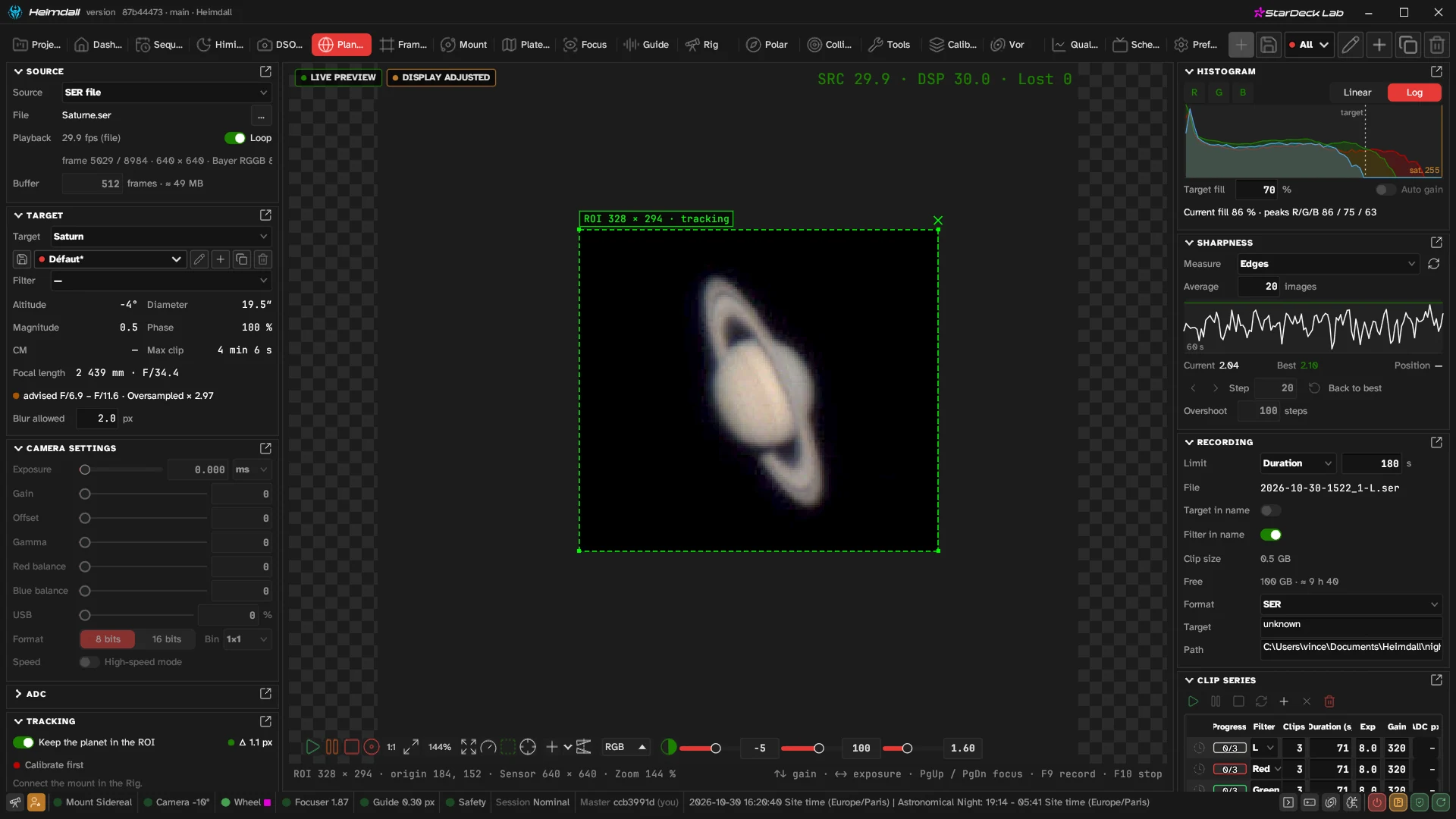
Reïkis measures sharpness live and keeps the disc centred in the ROI, frame after frame, no mount required.
Assisted focus
You turn the knob or drive the focuser from the screen; Reïkis says better or worse, remembers the best point and takes you back to it without backlash. The focuser is locked out during a clip.
The planet kept centred
Reïkis finds the disc in every frame and moves the ROI across the sensor to keep it centred. It warns you if the planet leaves the field or the disc disappears.
Planetary guiding
When the ROI is no longer enough, it corrects the mount with pulse guiding: a Calibrate button, four pulses to learn the axes, the camera angle and the backlash (not a full PHD2-style calibration), then a threshold and a strength to set.
Mount safety comes before any pulse.
04 · Recording
SER files timestamped and named for WinJUPOS.
Standard SER files, 8 or 16 bit, with the UTC time of every frame (the camera’s time, not the time it was written to disk).
WinJUPOS convention · YYYY-MM-DD-HHMM_T
2026-10-30-1522_1-Jupiter–L.ser
Target and filter optional, centred on the middle of the clip.
A summary for every clip
A text file with the same name: duration, frames, average frame rate, losses, camera, ROI, gain, exposure, target, filter, profile, histogram.
Limit by duration, by frame count, or none; a clean stop when the disk drops below 1 GB free.
A clip sequence, filter by filter
With a filter wheel, record a whole series in one gesture: the list of filters, the number of clips and the length of each.
Reïkis changes filter, waits for the move to finish, applies the filter’s settings, respects the target’s maximum clip length and names each file. Pause, stop, resume; a wheel or disk fault is handled.
05 · ADC
ADC alignment help.
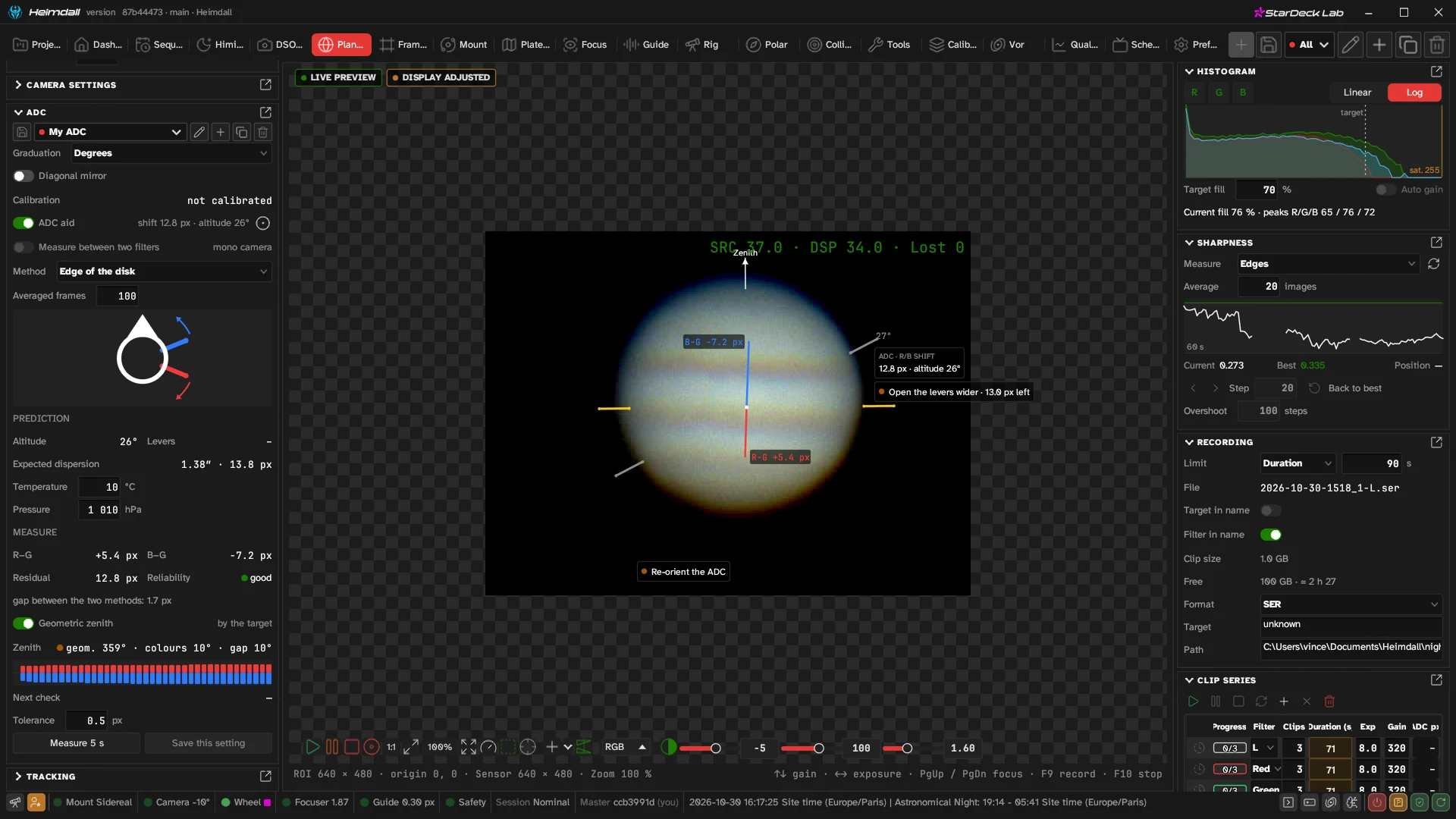
Below 30 or 40° altitude, atmospheric dispersion smears the planet into colour fringes. Reïkis helps you set the corrector (ADC).
Measures
The offset between the red, green and blue channels, with two methods that check each other; when they disagree, it refuses to advise.
Advises
“Spread the levers by ~N°”, “Rotate the ADC by ~N°”, “Set”, and flags an ADC fitted back to front, at 180°.
Predicts
The expected dispersion from the target’s altitude, temperature and pressure, and learns your ADC’s maximum dispersion.
Marks
Two marks on the video: yellow (where the levers should be) and grey (where they are, estimated).
Watches the drift
It tells you to re-adjust between two clips, never during one.
Logs
The residual is written into each clip’s text file.
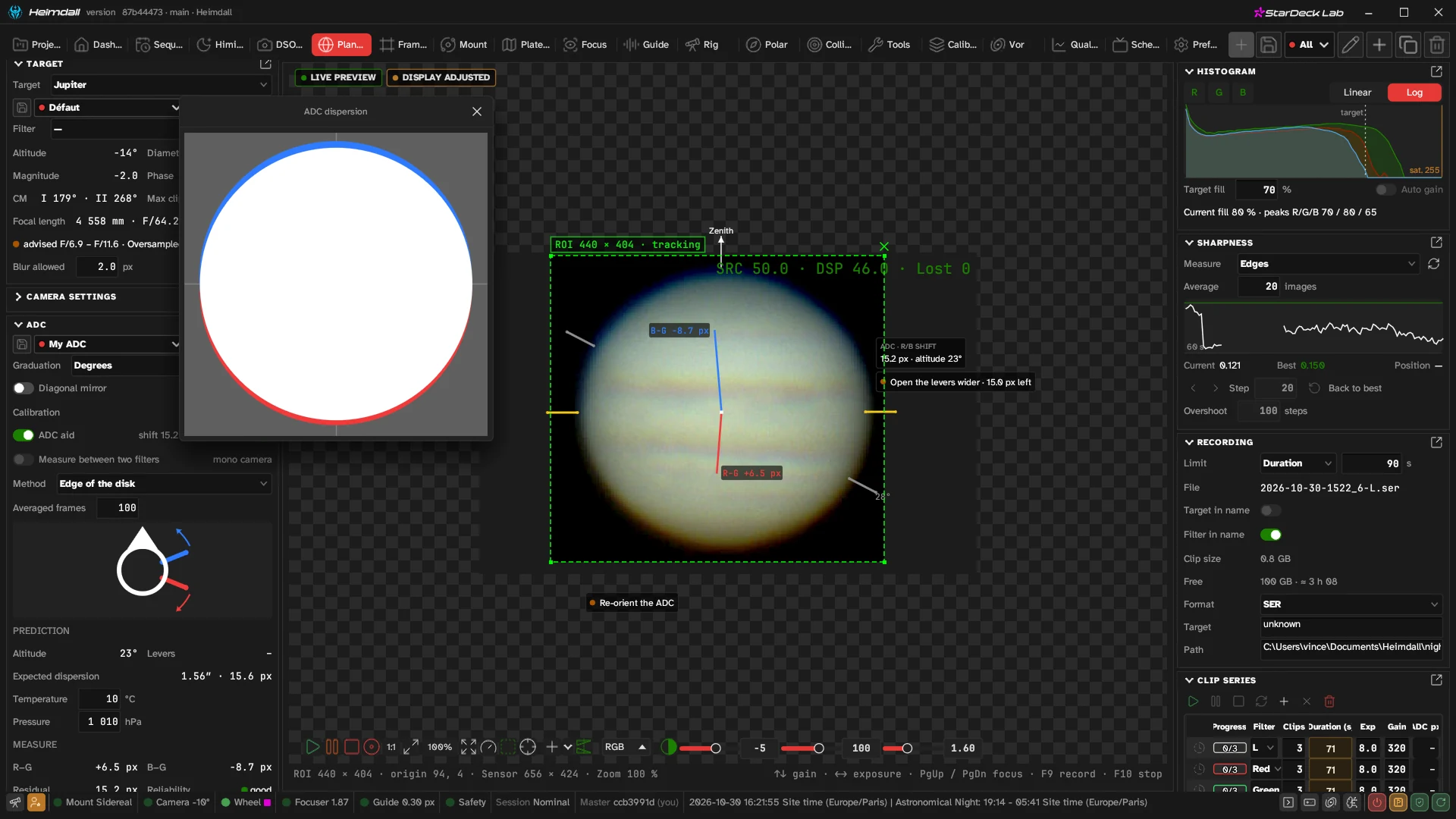
Replay a SER as if it were a camera.
A SER file replays in Reïkis as if it came from a camera. Try your settings, your focusing and the ADC aid without sky or hardware. For the ADC, you can inject a simulated dispersion.
What Reïkis is not
- Stacking
- Processing
- Deep sky
- Mosaics
It does not replace AutoStakkert or your processing software. It hands them the best files it can, named and timestamped.
The StarDeck suite
Reïkis is also Heimdall’s planetary capture workshop: exactly the same code. In Heimdall, your captures are filed in the night’s Project and their events go into the night log.
 Heimdall
Discover →
The complete astrophotography station.


Beta
Test Reïkis under your sky.
Sign up for the beta: we select testers with ZWO cameras and a variety of setups.
Selected beta testers get Reïkis free for life.
A few emails at key milestones. No newsletter.