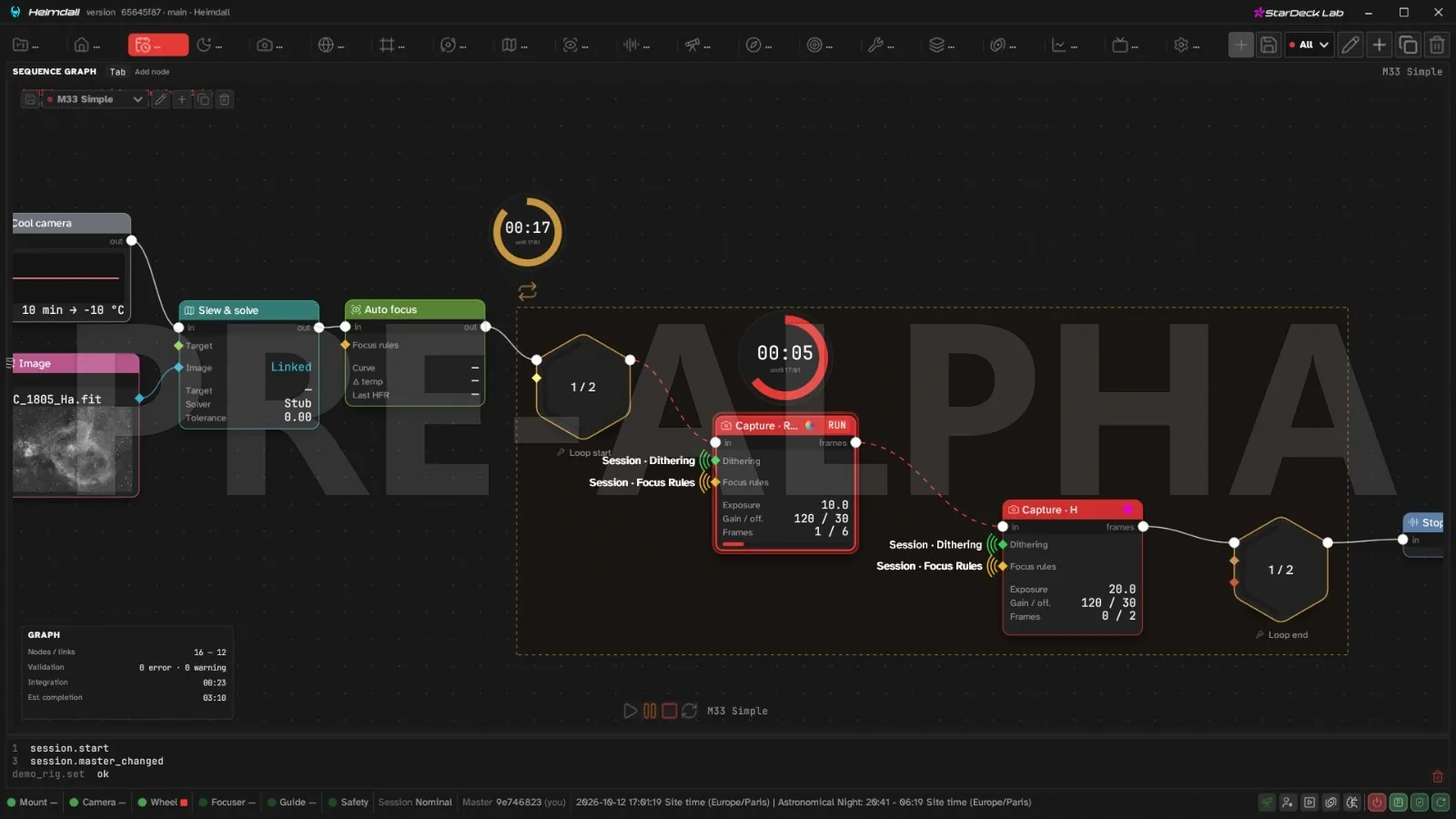
The night’s graph1 / 3

The night’s graph

Workshop · 04 / 17

Sequencer

the night composed as a graph

Targets, exposures, autofocus, guiding, meridian flip, dither: you draw your night as a graph of nodes, run it, and follow it.

The Sequencer is the workshop where you decide what the night will do. Not a list of exposures: a visual plan, with rules that apply to a whole session, and an execution that adapts to what the sky and the gear actually do.

In short

A plan you can read.

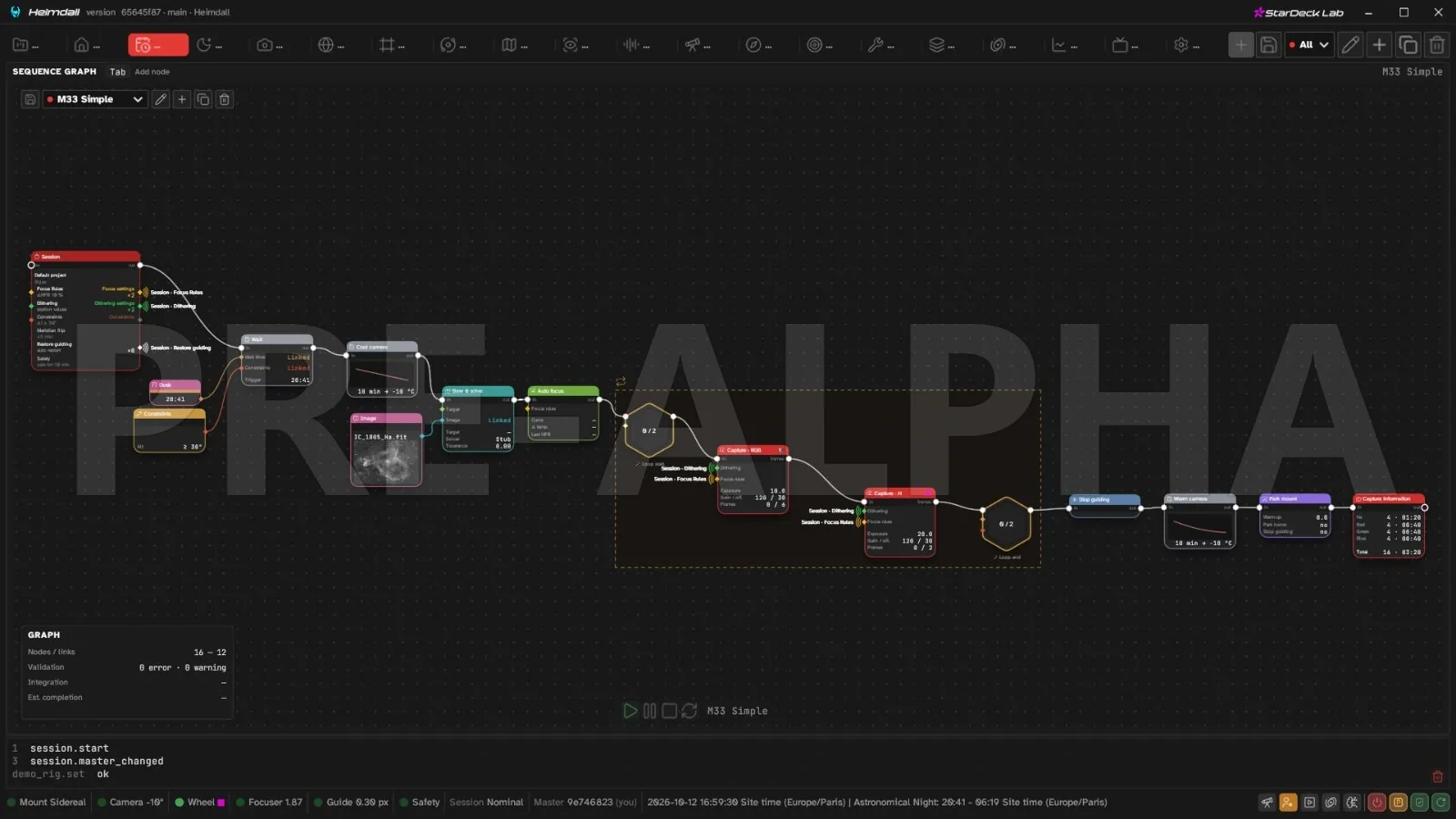
The graph shows the order of the steps, the data flowing and what is connected: you see the night before it starts.
Rules written once.

Focus, dither, constraints, flip and safety are set on the Session and hold for everything after it; you take control node by node only when you want to.

A night that adapts.

Waiting for twilight, leaving at dawn or below an altitude, resuming after a cloud: the plan reacts to conditions rather than running exposures blind.

Nothing lost when it gets complicated.

An abort cancels cleanly, a pause finishes the current exposure, finished frames stay written and filed in their Project.

Reusable plans.

Per-node presets, successive Sessions, targets looked up in Himinn: the M33 night becomes the NGC 7000 night by changing the target.

What the workshop does

An imager's night isn't "30 exposures of 300 seconds". It means waiting for twilight, cooling the camera, slewing, focusing, cycling through filters, dithering, flipping at the meridian, stopping at dawn or when the target sinks too low, and shutting everything down safely if clouds roll in.

The Sequencer lets you drop each step as a node, connect them with wires, and set the shared rules once per session: focus, dither, constraints, flip, safety. The same plan is reused from one night to the next; each node keeps its settings under a name.

What sets it apart

A linear sequencer runs a list of actions. Here the plan is a graph: data branches, loops with exit conditions, per-session rules.

A target scheduler decides what to photograph. The Sequencer describes how the night unfolds, step by step, with its safeguards.

The principle is visual and intuitive, but different from what you may be used to: it takes a short learning curve.

All features · 35

Compose the plan

  • Draws the night on a graphTargets, loops, exposures, autofocus, guiding, slewing, flipping: each step is a node, dropped by drag and drop and connected by an execution wire.
  • Sorts the library into eight familiesSession, Plate solving, Focus, Mount, Guiding, Capture, Utility, Data, each with its own color.
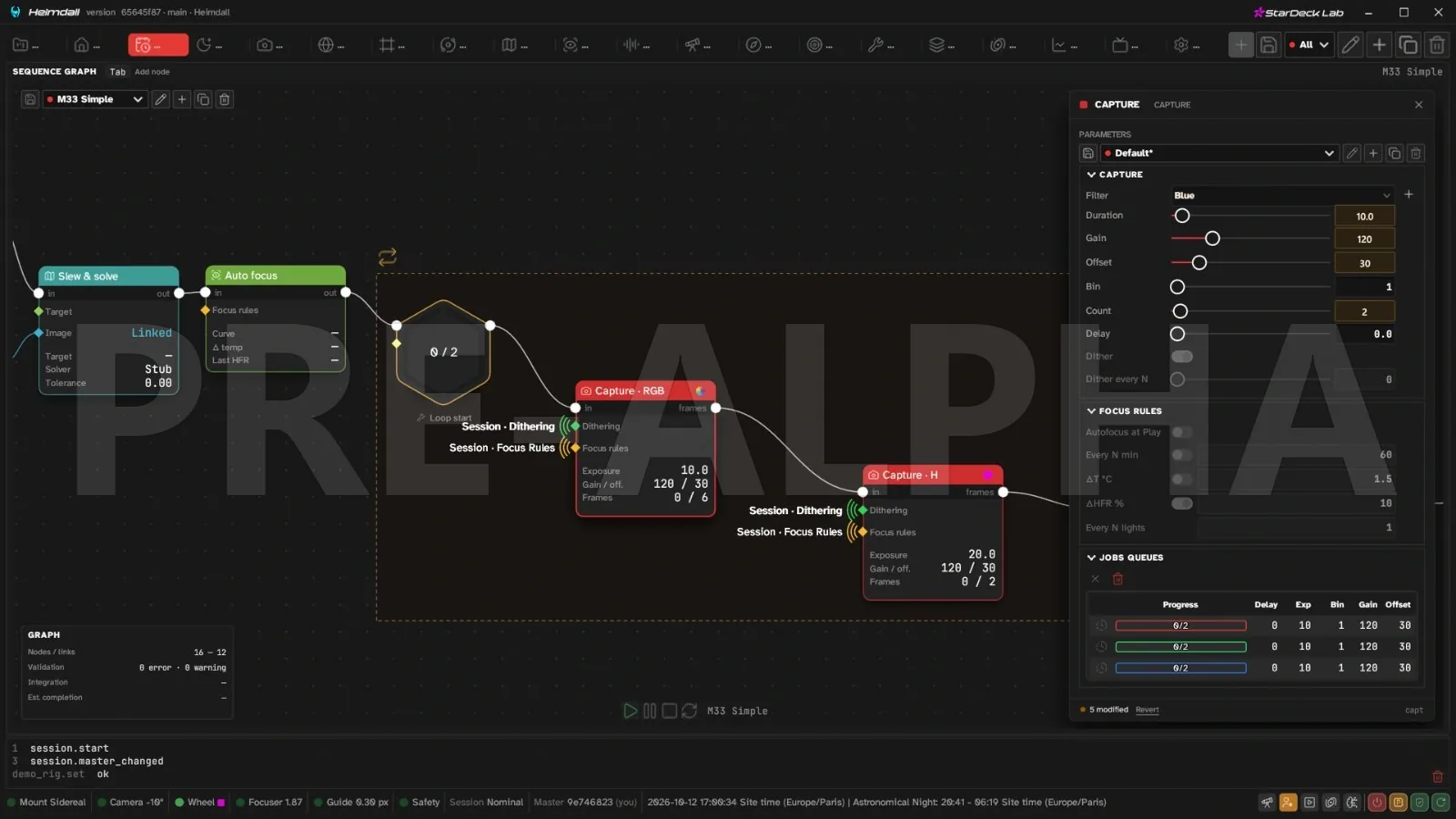
  • Wires data through typed linksBesides the execution chain, a node receives data inputs (Focus rules and Dithering on a Capture, an image on a Plate solve). A wire only joins two ports of the same type; an empty required input is outlined in red.
  • Feeds several nodes from one sourceA data output can serve as many inputs as needed.
  • Avoids spaghetti plansThe Redirection node places a sender and receivers with no visible wire, linked by a name: data is broadcast without crossing the whole graph.
  • Annotates the planThe Annotation node is a sticky note placed behind the wires, edited in place, with no effect on execution.
  • Validates liveAn inconsistent connection or a missing required input is flagged while you compose, not at midnight.
  • Saves a node's settings under a namePresets reload from one plan to the next.
  • Reads at a glanceNode cards show the title, the main values and the state (waiting, running, done) without opening the inspector; the plan zooms.

Set the frame for the night

  • The Session node imposes the rulesEvery sequence starts on a Session; its rules hold for the whole flow until the next Session. Several Sessions chain through the night.
  • Focus rulesThe Session's Focus rules apply to the captures in its scope; a downstream node can take control back with "Override session rules".
  • Dither and constraints rulesSame mechanism: set once, inherited by downstream nodes, or replaced by a data node you plug in.
  • Meridian flipThe Session sets the minutes past the meridian, re-centering and refocusing after the flip. The current exposure finishes, then the flip happens before the next one.
  • Guiding recoveryIf guiding drops, the Session restarts it.
  • "While safe" safetyWhen the safety state turns "not safe", the exposure is stopped, guiding is cut and the mount is parked; once safety has held for N minutes, the mount is unparked, the target re-slewed, guiding restarted and the interrupted exposure redone.
  • One Project per SessionThe Session picks or creates a named Project; its name is written into every photo (the PROJECT FITS card) and into the night journal.

Drive the observatory

  • Waits for a date, a time, a time zoneThe Wait node triggers what follows at site time, in UTC or in a chosen zone, when its constraints are met; you can place several in one night.
  • Waits for twilightThe Twilight node provides the civil, nautical or astronomical twilight time for your site, with an offset in minutes.
  • Shoots only in good conditionsThe Constraints area: minimum altitude, maximum Moon illumination, distance to the Moon.
  • Cools and warms the camera along a curveCool camera and Warm camera draw a time × temperature ramp, point by point, that execution follows to the last point's temperature.
  • Looks up the target as in HiminnThe Target node accepts an object search, RA/Dec or Alt/Az coordinates.
  • Slews and solvesSlew & solve, Plate solve, Park, Unpark: the plan unparks behind safety and slews to the target.
  • Runs autofocusAn Auto focus node and a Focus rules node; the rules decide when to refocus.
  • Handles guidingStart guiding (with a restart option), Stop guiding, Dither.
  • Takes the exposuresThe Capture node gets the standard capture widgets, the job queue and the autofocus rules.

Loop and exit

  • Loops a number of timesLoop start sets the number of rounds, typed in or supplied by an Integer wire; each round starts from zero.
  • Exits by time or altitudeLoop end stops at a site time or when the mount drops below an altitude, whichever criterion comes first; the current round always finishes.
  • Shows progressOne ring segment per round around the loop: done, running, to do.
  • Can supply valuesThe Time, Duration, Angle, Integer and Float nodes are pluggable sources.

Run and follow

  • Plays, pauses, stops, resetsPlay, Pause, Stop and Reset drive the plan; pause lets the current exposure finish, and it is saved.
  • Protects itself against competing gesturesDuring a sequence, manual commands that would touch the camera, the wheel, the mount or the focuser are refused.
  • Stops safelyAn abort cancels the plan, a park cuts the sequence, with no automatic resume: you restart explicitly.
  • Writes a night journalEvery exposure and every plan transition is logged.
  • Is followed from the DashboardThe linear Sequence Run view mirrors the state of each step.

Comfort

  • Speaks French and English

All Heimdall workshops