


One frame in one click, a night in one queue.
The same workshop tests an exposure time and launches hours of frames across several filters.
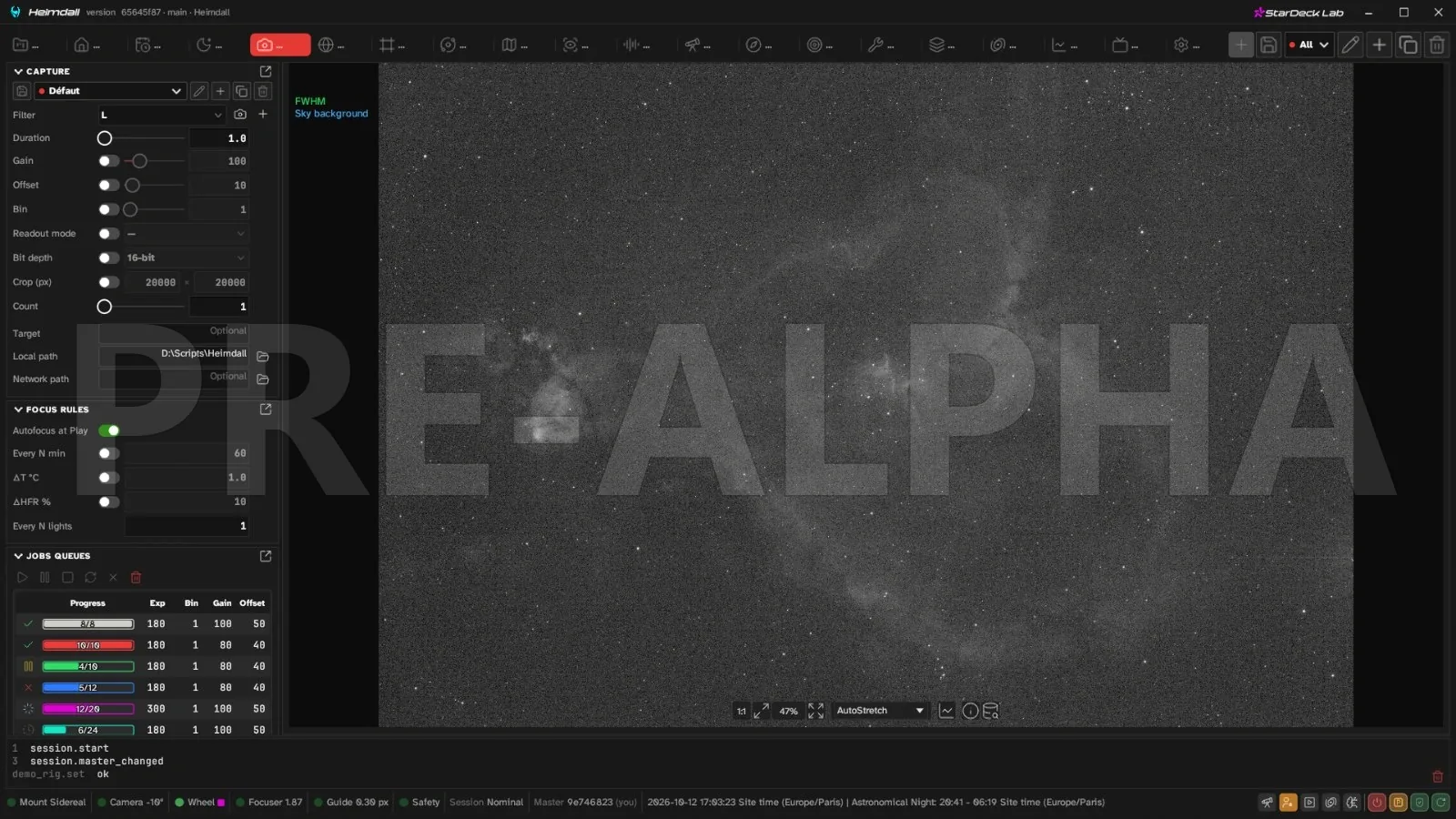
Capture — settings, focus rules, job queues
Workshop · 06 / 17
imaging, one frame or a queue of jobs
A single exposure in one click, or a job queue that chains filters, durations and frame counts: Capture produces your FITS files and files them for you.
Capture is the deep-sky imaging workshop. This is where you set the camera and the exposure, fire a one-off frame, and build the queue that runs through the night.
The same workshop tests an exposure time and launches hours of frames across several filters.
Dither, autofocus and meridian flip fit between frames: the queue doesn't stop and doesn't ruin an exposure.
Project / night / filter filing, readable names, complete FITS, network mirror: you know where each image is and you don't lose any to flaky Wi-Fi.
What you set in Capture, you find in the Sequencer node: no two ways to describe a frame.
Cooler, dew heater, binning flagged in orange, clean abort, safety checked before slewing.
You want three things: set the exposure, trigger it, find the file. Capture brings the camera, the exposure form and the job queue together, and writes every image as FITS into your Project's folder, under a readable name.
For a single frame, one button is enough. For a night, the queue takes over: a job is a filter, a duration, a gain, an offset, a binning and a frame count. The Sequencer reuses these same widgets in its Capture node, with the values of your plan.
A classic capture module is a form and a button. Here, imaging is a workshop tied to the Project, the journal and the Sequencer: files arrive filed, and the queue plays out in the plan.
A simple shutter trigger writes files. Capture writes the Project, the HFR and the date into every frame and into the night journal.
And imaging never bypasses safety: the hub and the Safety state come before every movement.
No ads. The project runs on support from the people who use it.