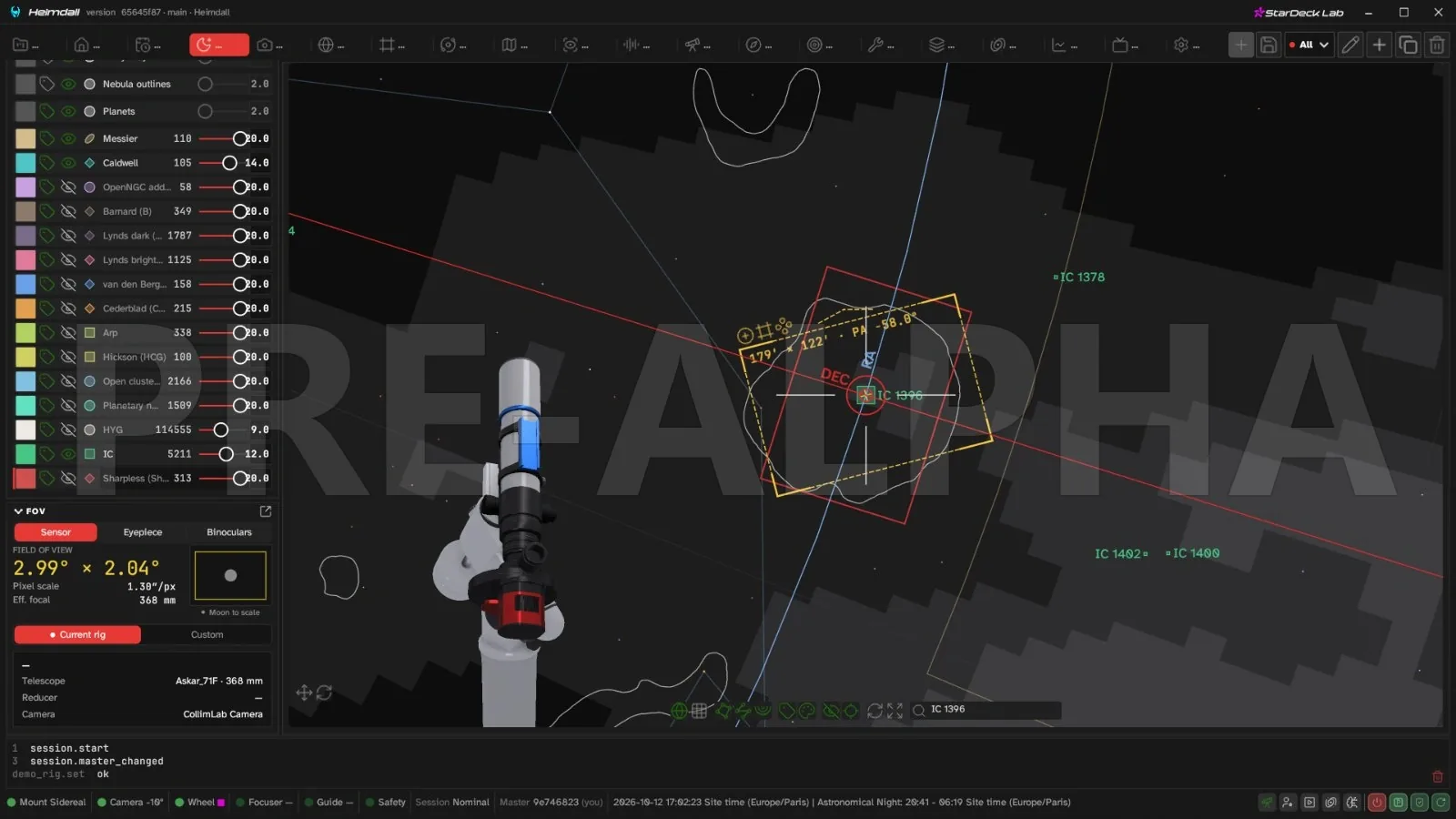
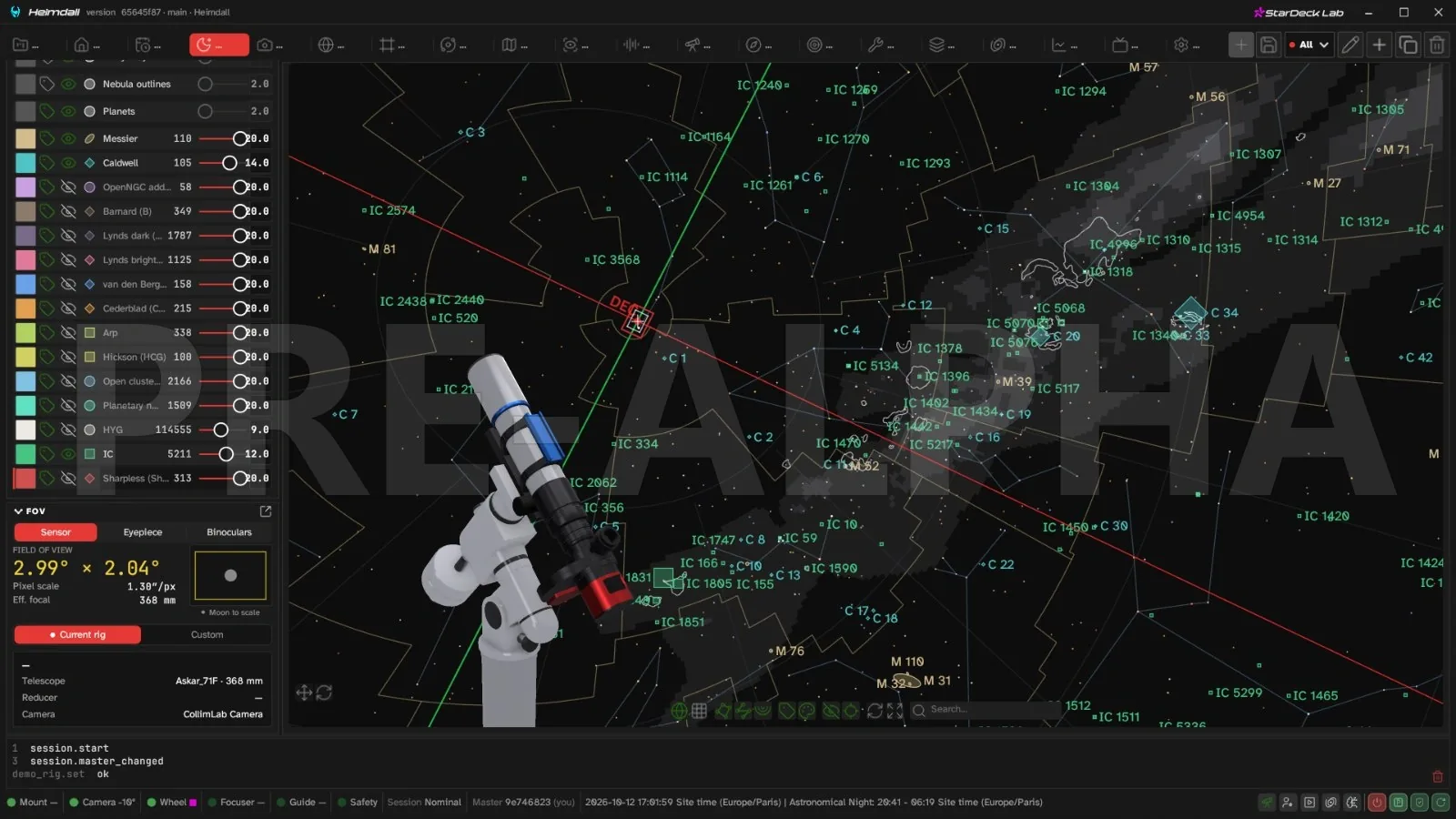
3D sky map and catalogues1 / 2

3D sky map and catalogues

Workshop · 05 / 17

Himinn

the imager's planetarium, inside Heimdall

The sky as your sensor will see it: you pick the target, point at it, and all of Heimdall picks it up.

Himinn is Heimdall's sky map. Offline, built for photography rather than visual observing, it is used to decide what to photograph and to hand the target to the other workshops.

In short

The sky as your sensor will see it.

Projection, objects at real size and instrument field: you judge the framing before going out.
A target chosen once.

The object chosen in Himinn feeds Framing, Projects and the Sequencer: no name or coordinates to copy over.

From sky to mount in one gesture.

Search, open the card, Point: the same screen goes from idea to slew.

Light and offline.

Messier built in, other catalogs on disk, no download at night.

What the workshop does

Inside Heimdall, Himinn is the starting point of the night. You find the target, check it will be high, see what fits in your instrument's field, then point at it. The object chosen here isn't re-entered anywhere else: the other workshops pick it up.

What sets it apart

A general-purpose planetarium shows the sky for the eye. Himinn shows it for the sensor: photographic projection, instrument field, objects at their size.

An atlas separate from the session software makes you copy the target over. Here the map is part of Heimdall and shares its current object.

It stays light: the map doesn't weigh gigabytes of survey imagery.

All features · 17

The sky

  • Draws an offline 3D sky mapStars, constellations and their boundaries, object names, grids, the horizon and the meridian of the site.
  • Uses a projection dedicated to astrophotographyThe sky as your sensor will see it.
  • Draws deep-sky objects at their real sizeYou see at once what fills a field and what is tiny in it.
  • Sets the site and the timeTonight's sky, or another night's; an internal night clock follows the observer's site.
  • Shows your instrument's fieldThe camera and optics frame sits on the map.

Search and choose

  • Searches from the toolbarAn always-visible search field; the list updates with every keystroke.
  • Finds by identifier or common nameM 31, NGC 7000, or the object's usual name.
  • Opens a card for each objectType, constellation, magnitude, size, position, current altitude, rise, meridian transit, set and the night's altitude curve.
  • Recenters the view on the objectA click in the list moves the view and opens the card.
  • Sets Heimdall's current objectThe selected object is picked up by Framing (the Sync button), by Project creation and by the Sequencer's Target node.

Point

  • Sends the telescope to the objectFrom the card, Point starts the slew; safety comes before the mount, as everywhere in Heimdall.
  • Shows where the mount pointsA reticle and two large red circles, centered on the pointed coordinates, move at real angular speed when the mount moves.
  • Never touches the hardware directlyThe map has no direct access to the mount: the slew goes through the engine.

Catalogs

  • Ships the Messier catalogAvailable from the first launch.
  • Stores other catalogs next to the programFor example OpenNGC for NGC and IC.
  • Never downloads in the middle of the nightNo download during a session.

Comfort

  • Speaks French and English

All Heimdall workshops