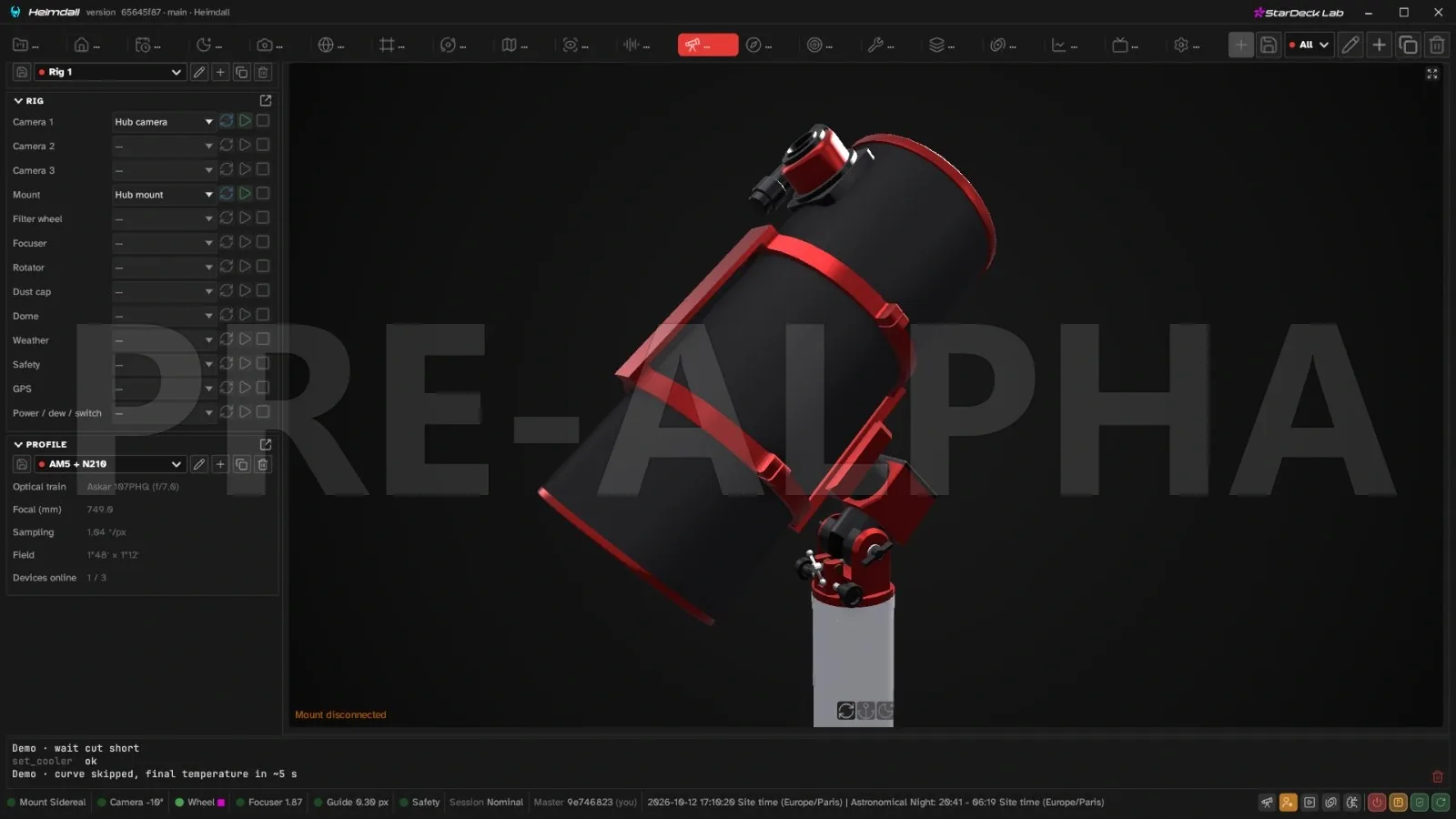
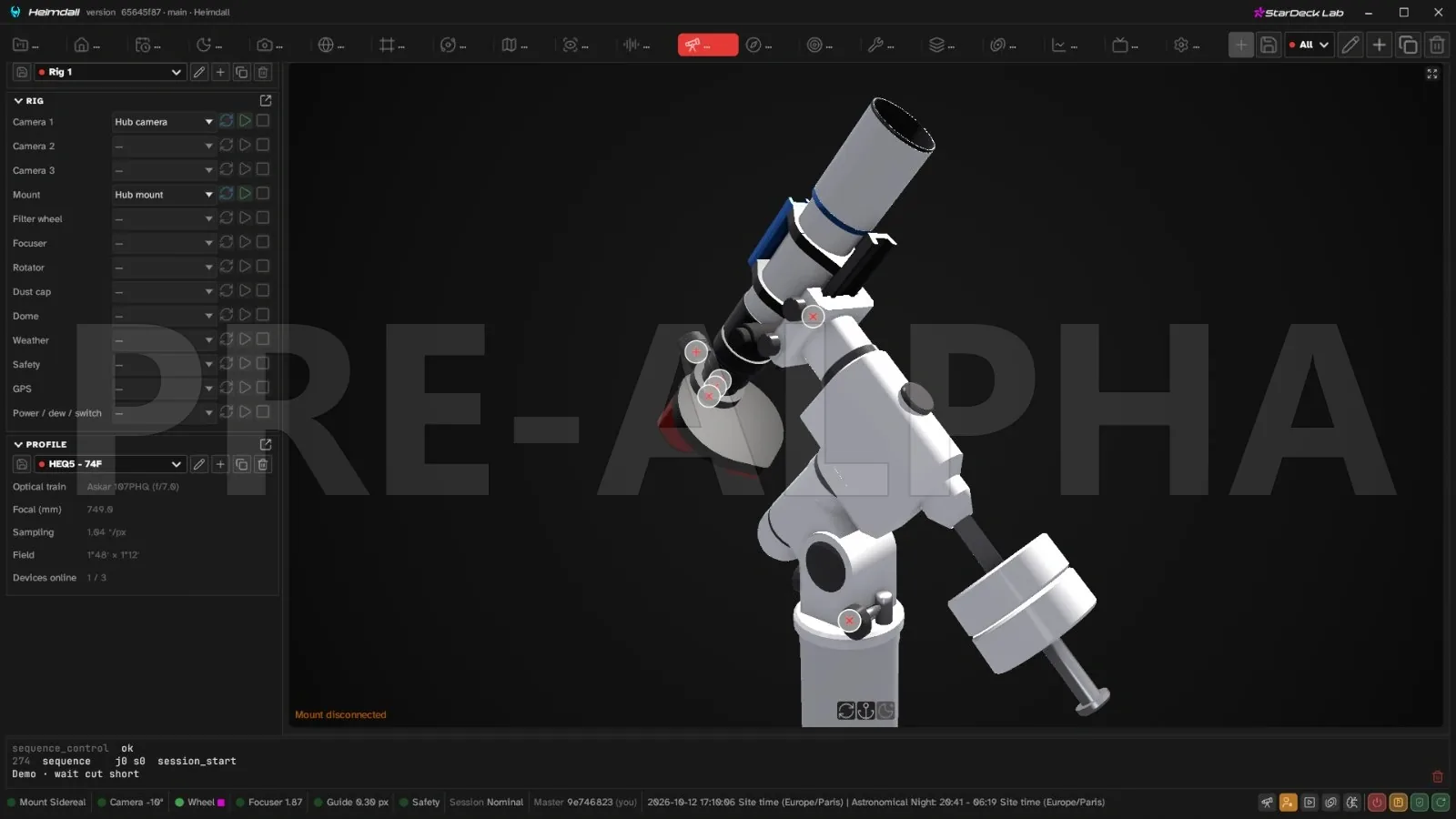
Refractor on an equatorial mount1 / 2

Refractor on an equatorial mount

Workshop · 12 / 17

Rig 3D

the optical train, piece by piece

Your real gear, assembled in 3D: click a piece, its card opens, and all of Heimdall derives your field, your scale and your settings from it.

The Rig 3D is the gear-description workshop. It tells Heimdall what your setup is made of, and shows each device's state on the very piece it concerns.

In short

Your gear, not a list.

You assemble your setup in 3D and set each device on its piece.
One description for all of Heimdall.

Focal length, reducer, sensor and pixel entered once feed the field, the scale and the framing.

Your defaults, per camera.

Gain, offset, binning, cooling: saved per camera model and reused everywhere.

See each device's state where it is.

Mount, camera, wheel, rotator, focuser: their state is read on their piece.

Author-made models accepted.

A 3D model with its named anchor points assembles itself.

What the workshop does

Session software has to know your optics: focal length, reducer, pixel size, sensor. Elsewhere, these values are typed into lists and forms. Here they attach to a piece you can see: the tube, the camera, the filter wheel, the mount.

You assemble the optical train in 3D, from the pier or tripod up to the camera. A click on a piece opens its card: the device's state, its own settings, its defaults. The other workshops then read this profile.

What sets it apart

A gear profile is usually filled in through lists. Here the profile is built on the piece: you see what you describe.

A connection panel shows who is online. The Rig 3D also shows what each device is doing: temperature, tracking, filter in place.

A decorative 3D model stays decor. Here it carries the values the other workshops use.

All features · 21

Assemble the setup

  • Builds the optical train piece by pieceSupport, mount, telescope, reducer, off-axis guider, filter wheel: you start from an empty attachment point, click, pick a piece from a list, and the next point appears.
  • Accepts author-made 3D modelsA 3D model that carries its named anchor points attaches itself to the right piece; a missing model is replaced by a simple shape, without blocking.
  • Removes a pieceClicking an occupied point removes the piece; a confirmation is asked if several pieces depend on it.
  • Orients each piece from its cardAn angle from 0 to 360° for the tube, the camera, the filter wheel and the rotator; on a Newtonian, the tube rotates in its rings and the train follows.
  • Keeps several RigsA Rig list (create, rename, duplicate, delete); the current Rig is the one the other workshops use.
  • Saves the buildThe profile retains the pieces placed and their orientation.
  • Summarizes the profileOptical train, focal length, sampling, field, number of devices online.

See and navigate

  • Orbits, pans and zooms around the setupA 3D view with ambient lighting and occlusion to read the volumes; a button resets the view.
  • Highlights the selected pieceOutline and tint on the piece whose card is open.
  • Links the piece to its cardA label and a line lead the eye from the piece to its card.
  • Opens several cards at onceThey place themselves next to their piece without overlapping, move by their title bar and close with the cross.

The piece cards

  • MountState, pier side, tracking state, guide speed as a multiple of sidereal, mount type (equatorial, fork, alt-az), read-only; a box stays empty rather than showing an invented value.
  • Optical tubeAperture, focal length, obstruction, f-ratio and reducer: the field and scale across Heimdall derive from them.
  • Main cameraState, sensor temperature, cooling power, sensor, pixel. Default value sets, per camera model, set gain, offset, binning, readout mode, 8 or 16 bits, cropping, target temperature and dew heater power; they apply everywhere once saved. Buttons turn the cooling and the dew heater on or off.
  • Guide cameraThe same card, with its own settings, chosen from the camera catalog.
  • Filter wheelModel choice, a drawn and animated wheel, filters with their transmission bands, a table to name each filter, filter change by double-click.
  • RotatorState and angle.
  • FocuserState and position.
  • Disconnects the card's deviceThe Disconnect button stops the device through the hub.
  • Stays honestA field with no data stays empty; no placeholder values.

Comfort

  • Speaks French and English

All Heimdall workshops