


All calibration in one place.
Darks, flats, bias and masters are filed by camera, away from your lights.
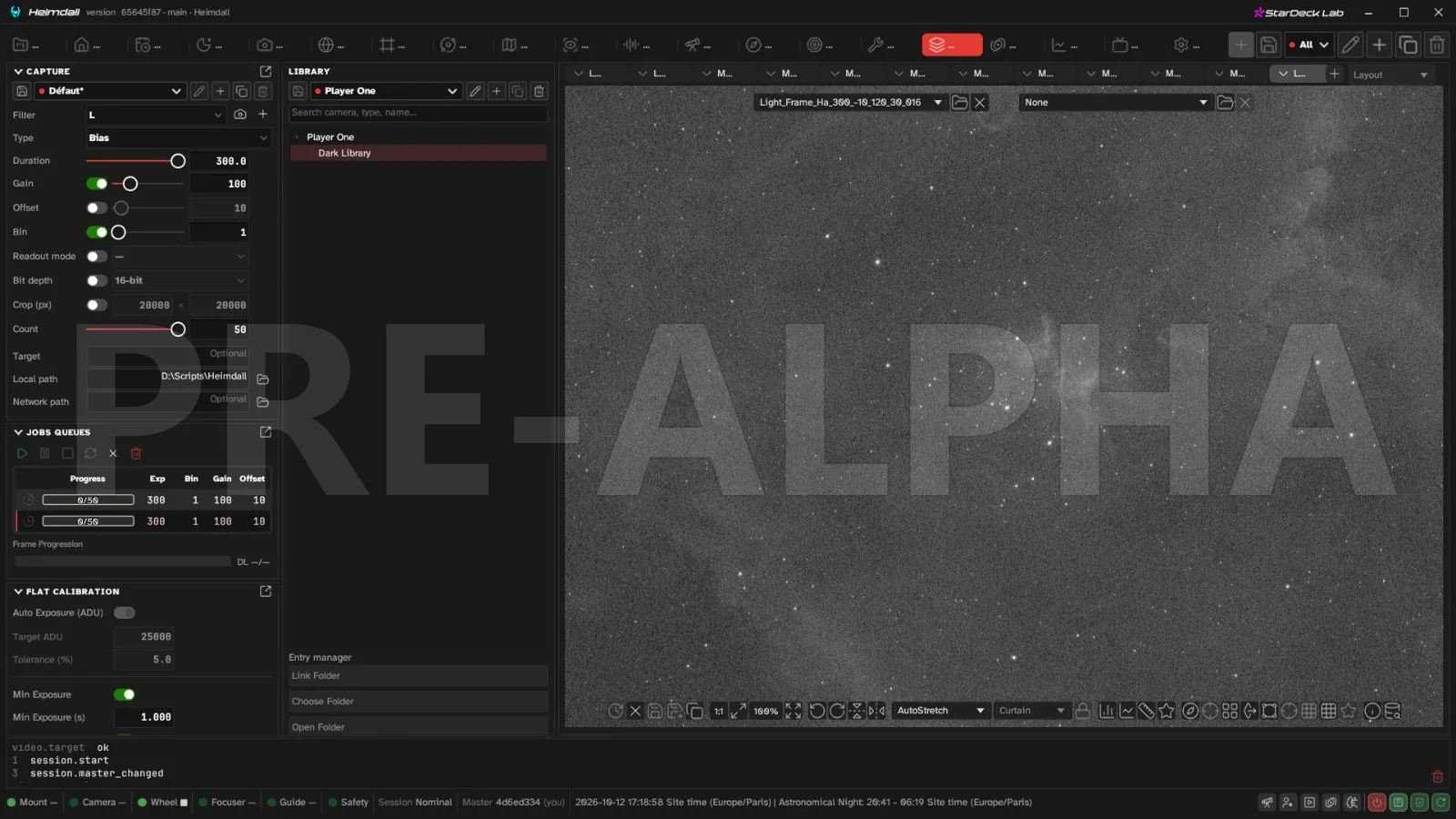
Calibration library
Workshop · 15 / 17
darks, flats, bias and masters
Shoot your darks, flats and bias, build your masters and find them again, camera by camera, in one workshop.
The Calibration Library is the calibration workshop. Calibration files live there and nowhere else: not in the sky-imaging tools, not mixed in with your lights.
Darks, flats, bias and masters are filed by camera, away from your lights.
A right-click builds a master with the well-established mean-with-rejection method, without flooding memory.
The Flat Wizard finds the exposure time, checks each frame and readjusts as the light changes.
Each entry carries the settings read from its FITS; the index returns on restart; search filters live.
Removing from the library and deleting files are two distinct choices.
To calibrate an image you need darks, flats and bias, and above all you need to know where they are, which camera they belong to, and with which settings they were taken. The workshop files all of this in a per-camera library, builds the masters for you, and helps you take good flats, including at twilight.
It is laid out in three columns: imaging and the job queue on the left, the master library in the middle, a viewer on the right.
The calibration files of a sky-imaging tool get mixed in with the lights. Here, they have their own workshop and their own folder.
A hand-made folder of masters has no index and no rules. Here, each camera has its library, its types, its entries, with settings read from the headers.
Shooting flats on the fly means tweaking the exposure time while the sky darkens. Here it readjusts itself.
No ads. The project runs on support from the people who use it.